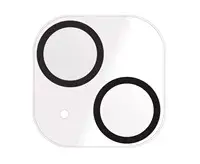
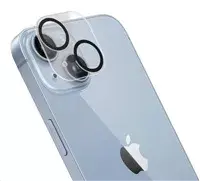
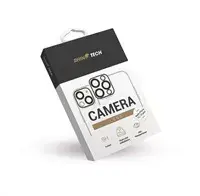
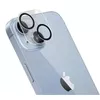
The RhinoTech Camera Lens Protector for Apple iPhone 14 and iPhone 14 Plus Tempered Glass is a reliable accessory designed to safeguard the camera module of your smartphone. This tempered glass protector shields the delicate camera lenses against everyday hazards such as scratches, dust, and minor impacts, ensuring your device remains in optimal condition. Engineered for a precise fit, it provides comprehensive coverage without interfering with the phone's original design or adding unnecessary bulk. By preventing potential surface damage, this protective glass helps maintain the long-term functionality and pristine appearance of your mobile device's camera system.
Advantages
Using the RhinoTech camera lens protector offers several practical benefits for maintaining your smartphone. The high-quality tempered glass material provides robust defense against sharp objects and abrasive surfaces that typically cause wear in daily use. The protector is optically clear, ensuring that light transmission remains unhindered so your photos and videos retain their original clarity, color accuracy, and sharpness. Additionally, the accessory is designed to resist dust accumulation around the individual lens rings. Its durable construction absorbs minor impacts, reducing the risk of costly lens repairs or replacements while preserving the aesthetic appeal of your device.
Suitable for
- Daily protection of Apple iPhone 14 and iPhone 14 Plus camera lenses against scratches and dust
- Users who carry their smartphone in pockets, bags, or purses alongside other items
- Maintaining original photo and video quality while ensuring physical safety for the camera module
- Users looking for a precise fit that does not interfere with standard protective phone cases
When it may not be suitable
This tempered glass protector may not be suitable for users who prefer using heavy-duty, fully enclosed waterproof cases that already incorporate integrated camera cover shields, as double-layer protection can cause fitting issues or optical distortion. It is also not designed to protect the entire rear housing or screen of the phone, focusing exclusively on the camera module.
Key specifications
- Accessory type: Tempered glass camera lens protector
- Compatible device models: Apple iPhone 14 and iPhone 14 Plus
- Material: Durable tempered glass
- Protection features: Scratch resistance, dust protection, minor impact absorption
- Design: Precision-cut for accurate lens alignment
How to use
To apply the RhinoTech camera lens protector, first ensure the camera lenses of your Apple iPhone 14 or iPhone 14 Plus are completely clean and free of dust, smudges, or oils using a microfiber cloth and cleaning wipe. Carefully peel the protective backing from the glass accessory without touching the adhesive side. Align the cutouts or individual glass pieces precisely with the camera lenses of your smartphone and gently press them down into place. Ensure a firm and secure bond by pressing around the edges of the protector. If small air bubbles appear during installation, gently push them toward the outer edge using a clean cloth.
What to consider before purchase
- Verify that your smartphone model is either the Apple iPhone 14 or iPhone 14 Plus to ensure proper compatibility
- Check if your existing phone case has a raised camera cutout that might interact with additional lens glass thickness
- Ensure you are comfortable with a clean, dry installation process requiring careful alignment
Usage recommendations: For best results, install the tempered glass protector in a clean, dust-free environment such as a bathroom after running a warm shower to settle airborne particles. Avoid touching the adhesive surface during application to prevent reduced adhesion or trapped debris.