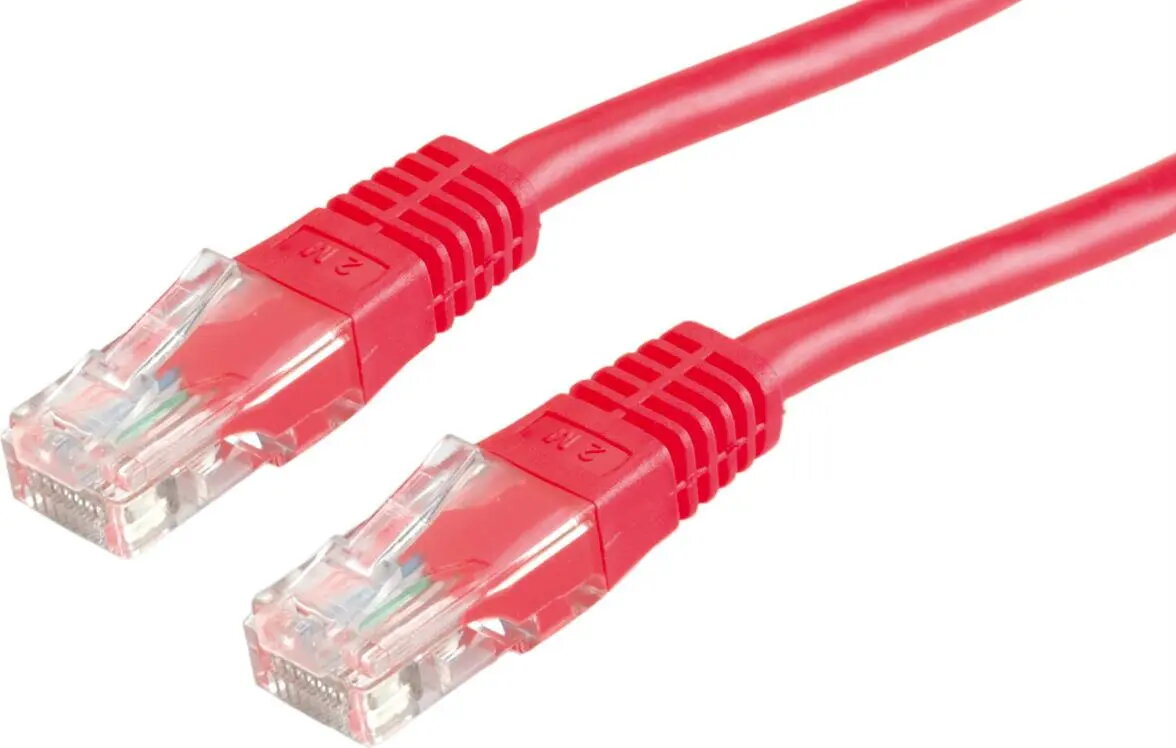
Secomp STANDARD UTP patch cable Cat.6 (Class E) S1722 in red, 2 m, is an unshielded twisted-pair Ethernet patch cord designed for reliable gigabit networking. The cable delivers Cat.6/Class E performance and is fitted with RJ45 connectors to link switches, routers, patch panels and network devices in office, rack and home network environments. Its 2 m length and visible red jacket make it suitable for short horizontal connections and easy identification within cable bundles.
Advantages
The Secomp Cat.6 UTP patch cable provides consistent signal transmission at frequencies and data rates typical for Cat.6/Class E networks. Its stranded conductor construction and flexible jacket allow easy routing in crowded racks and patch panels, while the standardized RJ45 connectors ensure compatibility with common Ethernet ports. The bright red outer sheath aids visual management and fault tracing without adding shielding complexity.
Suitable for
- Connecting switches to patch panels or wall outlets in LAN installations
- Short links between network devices in offices and server rooms
- Home network setups requiring gigabit Ethernet connectivity
- Temporary or permanent cabling where colour coding simplifies identification
When it may not be suitable
This unshielded patch cable is not intended for electrically noisy environments where shielding is required to prevent interference; in such cases a shielded (STP/FTP) cable may be necessary. The 2 m length is suited for short connections and may be too short for longer runs between distant equipment.
Key specifications
- Cable category: Cat.6 (Class E) performance
- Topology: Unshielded Twisted Pair (UTP)
- Length: 2 m
- Connector type: RJ45 on both ends
- Colour: Red outer jacket
- Typical application: Gigabit Ethernet and lower-speed networks
- Jacket flexibility: designed for routing in patch panels and short links
How to use
Plug the RJ45 connectors into the Ethernet ports of the devices you want to connect, ensuring a secure click at each end. Use the 2 m Secomp Cat.6 UTP cable for horizontal patching between switches, patch panels, routers and wall sockets. Route the cable neatly through cable management channels or tie points to avoid strain on connectors and to maintain clear airflow in racks. For permanent installations, verify link speed and signal integrity with a network tester after installation.
What to consider before purchase
- Required cable length for your installation — 2 m is suitable for short links
- Whether unshielded (UTP) is acceptable or if a shielded cable is needed for high-interference environments
- Colour coding needs for your rack or cabling scheme
- Compatibility with device ports (standard RJ45 Ethernet)
Usage recommendations
For optimal performance, avoid tight bends and excessive pulling force when routing the cable, keep cable runs away from strong electromagnetic sources, and verify link speed after installation. Use the red jacket to mark critical uplinks or specific network segments for easier maintenance.