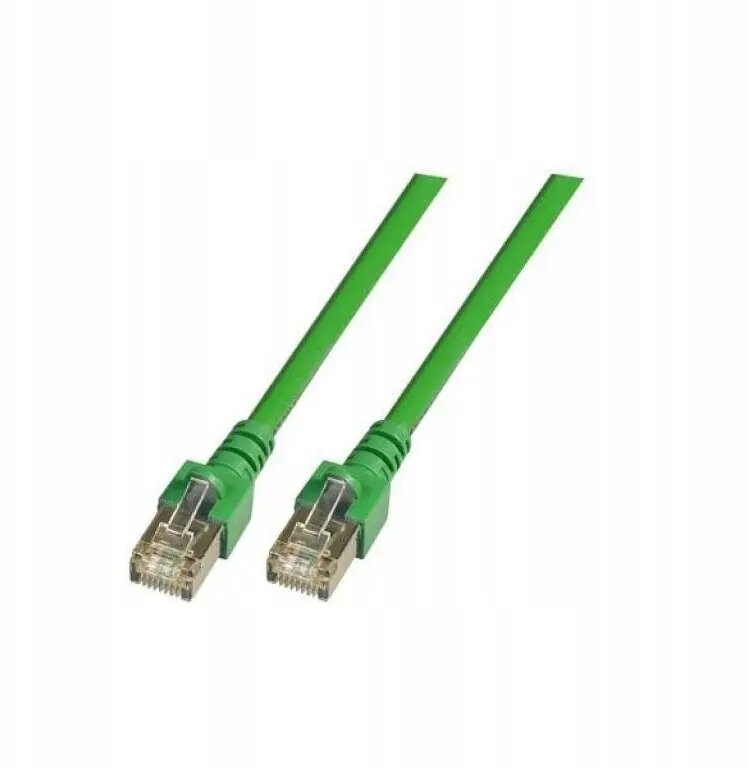
The SecurityNET SF/UTP Cat.5e patch cable is a high-performance networking solution engineered for stable and reliable data transmission. With a length of 2 meters, this cable is designed to connect various network devices such as computers, routers, switches, and modems. The cable features double shielding, which provides superior protection against electromagnetic interference, ensuring that your network connection remains consistent and free from signal degradation in environments with high electronic noise.
Advantages
The primary benefit of this patch cable is its robust double shielding, which significantly reduces the risk of crosstalk and external interference. The durable PVC outer jacket provides excellent flexibility and protection against physical wear, making it suitable for both home and office environments. Its Category 5e standard ensures reliable data transfer speeds suitable for standard internet connections and local area network tasks, providing a dependable link between your hardware components.
Suitable for
- Connecting desktop computers to wall outlets or network switches
- Linking routers to modems for stable internet distribution
- Connecting network-attached storage devices to a local network
- Use in office environments with multiple electronic devices
When it may not be suitable
This cable is not intended for outdoor use or environments exposed to extreme temperatures, as the PVC jacket is designed for indoor conditions. It may also not be suitable for high-speed data requirements exceeding the Category 5e standard, such as 10Gbps networks, where Cat6a or higher cables are required.
Key specifications
- Cable category: Cat.5e
- Shielding type: SF/UTP (double shielded)
- Length: 2 meters
- Jacket material: PVC
- Color: Green
How to use
To use the cable, simply insert the RJ45 connector into the network port of your device until you hear a click. Ensure that the cable is not bent at sharp angles or pinched by furniture, as this can damage the internal wiring. Once connected, the device should automatically detect the network link.
What to consider before purchase
- Verify the required length for your specific setup
- Ensure your network equipment supports RJ45 connections
- Check if your environment requires shielded cables to prevent interference
Usage recommendations
For optimal performance, avoid running the cable parallel to power lines and ensure that the connectors are kept clean and free of dust.