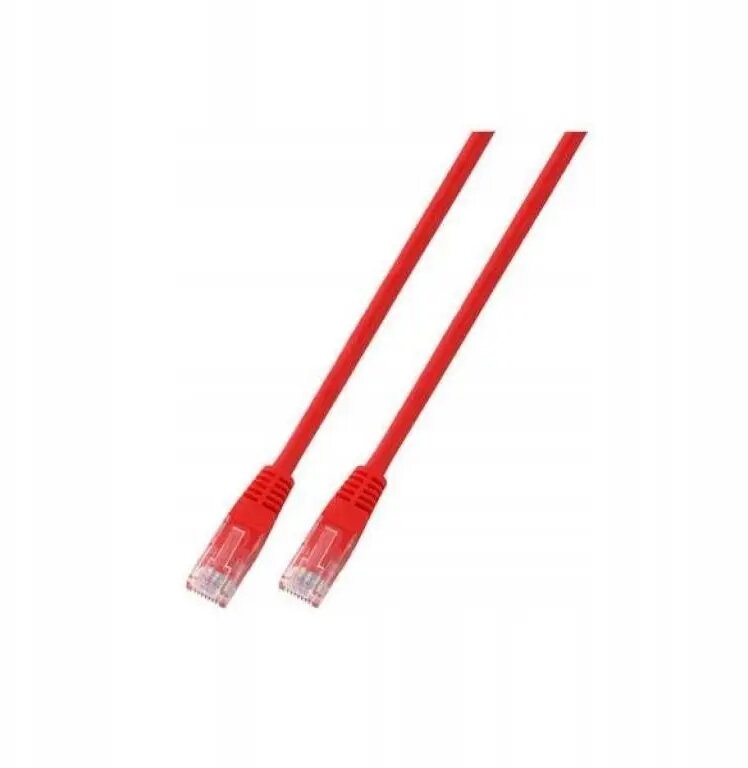
The SecurityNET UTP Cat.5e patch cable is a high-quality networking solution engineered for reliable data transmission in local area networks. Measuring 2 meters in length, this cable features an unshielded twisted pair construction housed within a durable PVC jacket, providing a stable connection for various networking devices. Its vibrant red color allows for efficient cable management and easy identification within complex network setups, making it a practical choice for both home and professional environments.
Advantages
This patch cable offers consistent performance for high-speed data transfer, ensuring that your network remains stable and responsive. The flexible yet robust PVC outer layer protects the internal wiring from daily wear and tear, extending the lifespan of the connection. By utilizing a standard Cat.5e design, it provides excellent compatibility with existing network infrastructure, while the distinct red color simplifies the process of organizing and troubleshooting multiple cables in server racks or office workstations.
Suitable for
- Connecting computers to wall outlets or network switches
- Linking routers and modems in home office setups
- Organizing network hardware in small business environments
- Temporary network connections requiring high reliability
When it may not be suitable
This cable is not intended for outdoor use or environments where it will be exposed to direct sunlight, moisture, or extreme temperatures, as the PVC jacket is designed for indoor conditions. Additionally, it is not suitable for high-interference industrial settings where shielded cabling is required to prevent electromagnetic interference.
Key specifications
- Cable category: Cat.5e
- Cable type: UTP (Unshielded Twisted Pair)
- Length: 2 meters
- Jacket material: PVC
- Color: Red
How to use
To use the cable, simply insert the RJ45 connector at either end into the corresponding ports on your networking devices, such as a computer, router, or switch. Ensure that the connector is fully seated until you hear a click, which indicates that the locking tab is secure. Avoid bending the cable at sharp angles or placing heavy objects on it to maintain optimal signal integrity.
What to consider before purchase
- Verify the required length for your specific setup to ensure the 2-meter cable is sufficient
- Check that your devices support RJ45 connections
- Consider if your environment requires shielded cables due to high electrical interference
Usage recommendations
For the best performance, avoid running the cable near power lines or heavy electrical equipment to minimize potential signal degradation. Regularly inspect the cable for physical damage and ensure that connections remain clean and free of dust.