
Leave your address - as soon as the price of the product goes down, you'll know about it right away
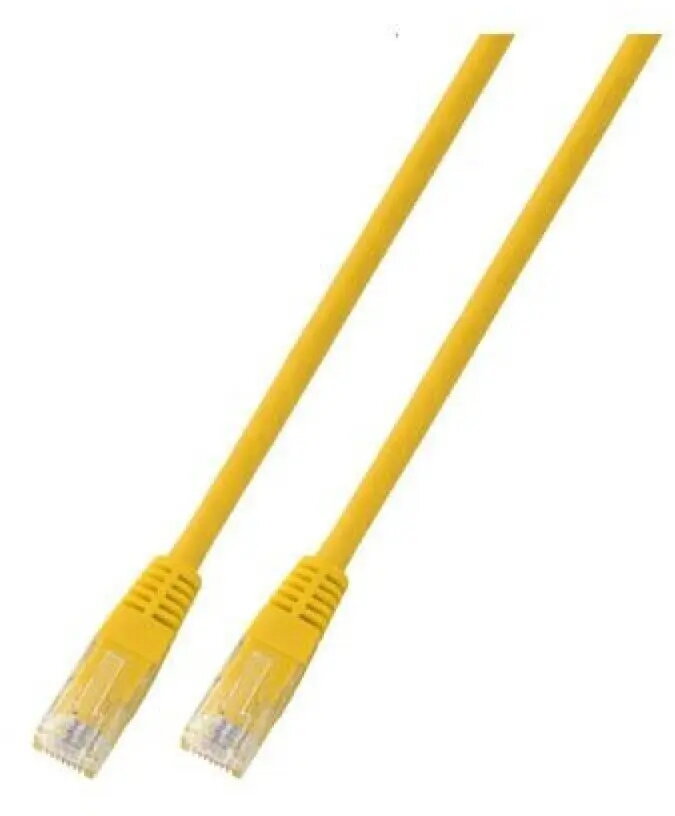
SecurityNET UTP Cat.5e Patch Cable, 0.5m, Yellow, PVC
In cart {{totalProductsCount}} item(s)
Your cart is empty
SecurityNET UTP Cat.5e Patch Cable, 0.5m, Yellow, PVC
Leave your address - as soon as the price of the product goes down, you'll know about it right away
SecurityNET UTP Cat.5e Patch Cable, 0.5m, Yellow, PVC
The SecurityNET UTP Cat.5e patch cable is a high-quality networking solution designed for efficient and reliable data transmission in local area networks. Measuring 0.5 meters in length, this cable is ideal for short-distance connections between networking hardware. It features a durable PVC jacket that provides protection against everyday wear and tear, ensuring long-term performance for your home or office network setup.
This patch cable offers consistent signal integrity for high-speed data transfers, making it a dependable choice for maintaining stable network connections. The compact 0.5-meter length helps reduce cable clutter in server racks or desktop environments, promoting better organization and airflow. Its bright yellow color allows for easy identification and cable management, which is particularly useful in complex network installations where multiple cables are present.
This cable is not intended for outdoor use, as the PVC jacket is not designed to withstand harsh weather conditions or direct UV exposure. Additionally, its short 0.5-meter length makes it unsuitable for connecting devices located in different rooms or across long distances.
To use this patch cable, simply insert the RJ45 connector into the Ethernet port of your network device until you hear a click, indicating a secure connection. Repeat this process for the second device you wish to connect. Ensure that the cable is not bent at sharp angles or placed under heavy pressure to maintain optimal signal quality.
For the best performance, avoid running Ethernet cables parallel to power lines to prevent electromagnetic interference. Always ensure the connectors are fully seated in the ports to maintain a stable link.
{{highlightedFeature.featureTitle}}:
{{getProductFeatureValueById(product, highlightedFeature.featureId)}}