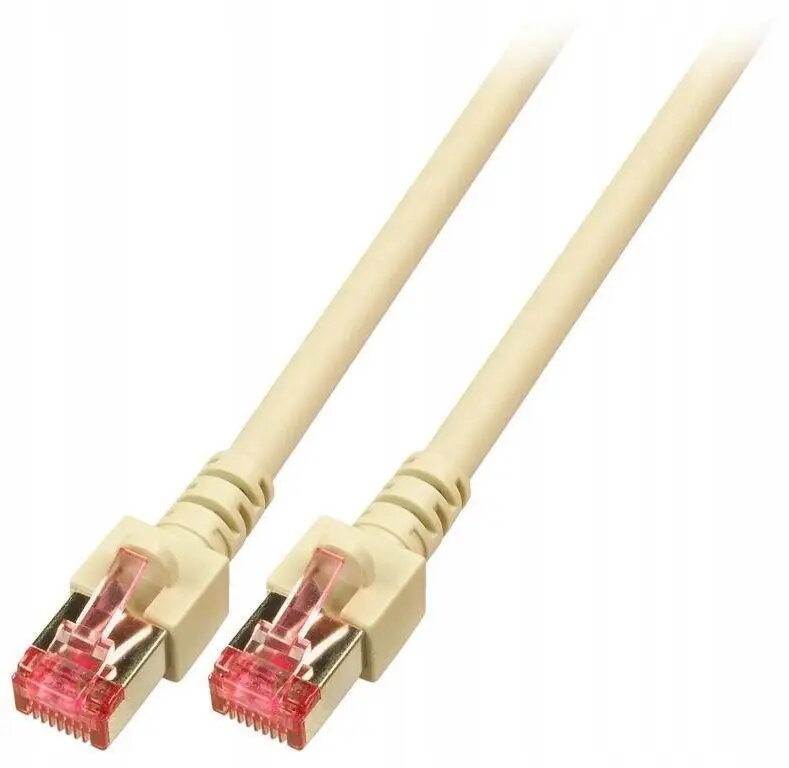
The SecurityNET S/FTP Cat.6 patch cable is a professional-grade networking solution engineered for high-speed data transmission and reliable connectivity. Measuring 0.5 meters in length, this cable is designed to provide a stable link between network devices such as routers, switches, and computers. The S/FTP shielding technology effectively minimizes electromagnetic interference and crosstalk, ensuring signal integrity even in environments with high cable density. The outer jacket is constructed from LSZH (Low Smoke Zero Halogen) material, which enhances safety by reducing toxic smoke emissions in the event of a fire.
Advantages
This patch cable offers superior protection against external signal interference due to its comprehensive S/FTP shielding, which combines individual pair shielding with an overall braid. The use of LSZH materials makes it a responsible choice for modern office buildings and residential installations where fire safety standards are a priority. Its compact 0.5-meter length is perfect for organizing server racks or connecting devices in close proximity without creating excess cable clutter. The high-quality construction ensures long-term durability and consistent performance for demanding Ethernet applications.
Suitable for
- Connecting network switches and patch panels in server racks
- Linking computers to wall outlets or local network ports
- Home office setups requiring stable and interference-free connections
- Environments where fire safety and low smoke emission are mandatory
When it may not be suitable
This cable is not intended for long-distance networking, as its 0.5-meter length limits its reach to immediate device connections. It is also not designed for outdoor use or exposure to direct sunlight and harsh weather conditions, as the jacket is optimized for indoor building environments.
Key specifications
- Category: Cat.6
- Shielding: S/FTP (Screened Foiled Twisted Pair)
- Length: 0.5 meters
- Jacket material: LSZH (Low Smoke Zero Halogen)
- Color: Grey
How to use
To use the cable, simply insert the RJ45 connector into the corresponding port on your networking device until you hear a click. Ensure that the cable is not bent at sharp angles or subjected to excessive tension, as this can damage the internal conductors. For optimal performance in a server rack, use cable management accessories to route the cable neatly.
What to consider before purchase
- Verify the required length to ensure 0.5 meters is sufficient for your setup
- Check if your network equipment supports Cat.6 standards for optimal speed
- Confirm that your installation environment requires LSZH-rated cabling
For the best network performance, avoid running patch cables parallel to high-voltage power lines to prevent potential electromagnetic interference.