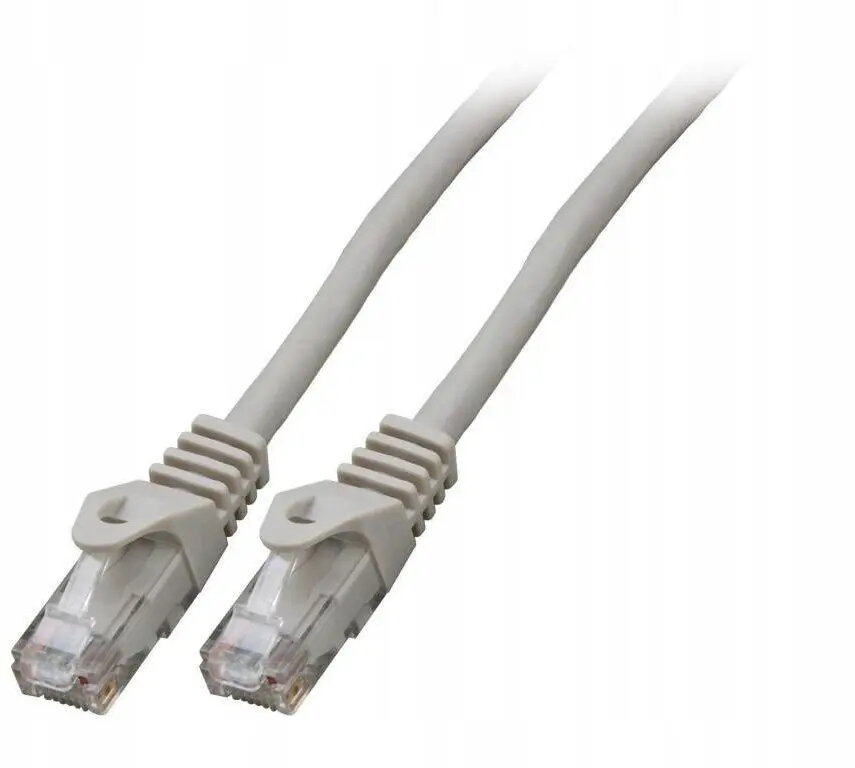
The SecurityNET Category 6 UTP patch cable is a high-performance networking solution designed to provide reliable data transmission for modern digital environments. Measuring 1.5 meters in length, this cable is engineered to support high-speed internet and local area network connections, ensuring consistent signal integrity between your hardware components. The inclusion of an LSZH (Low Smoke Zero Halogen) jacket makes this cable a responsible choice for indoor installations, as it minimizes the release of toxic smoke and corrosive gases in the event of a fire.
Advantages
This patch cable offers superior reliability for demanding network tasks by meeting Category 6 standards, which allow for faster data transfer rates compared to older cable generations. The flexible yet durable construction ensures easy cable management in tight spaces, such as behind desks or within server racks. By utilizing an LSZH outer sheath, the cable enhances safety standards in office buildings, schools, and residential areas where fire safety regulations are a priority. Its precise manufacturing guarantees a stable connection, reducing the risk of packet loss or signal interference during critical operations.
Suitable for
- Connecting desktop computers to wall outlets or network switches
- Linking routers and modems to network devices
- Establishing connections in home office setups
- Use in professional office environments requiring fire-safe cabling
This cable may not be suitable for outdoor installations where it would be exposed to direct sunlight, moisture, or extreme temperature fluctuations, as the jacket is not rated for external environmental conditions. Additionally, it is not intended for long-distance runs exceeding the standard limitations of Ethernet cabling, as signal degradation may occur over extended lengths.
Key specifications
- Cable Category: 6
- Cable Type: UTP (Unshielded Twisted Pair)
- Length: 1.5 meters
- Jacket Material: LSZH (Low Smoke Zero Halogen)
- Color: Grey
To use this cable, simply insert the RJ45 connector into the corresponding Ethernet port on your networking device or computer until you hear a distinct click. Ensure that the cable is not bent at sharp angles or pinched by furniture, as this can damage the internal wiring and affect performance. Once connected, the device should automatically detect the network link, allowing for immediate data transmission.
What to consider before purchase
- Verify the required length for your specific setup to avoid excess cable clutter
- Ensure your network equipment supports Category 6 standards for optimal performance
- Confirm that your installation environment complies with local safety regulations regarding cable materials
For the best performance, avoid running the cable parallel to high-voltage power lines, as this can cause electromagnetic interference. Always handle the connectors with care and avoid pulling the cable by the cord itself when disconnecting.