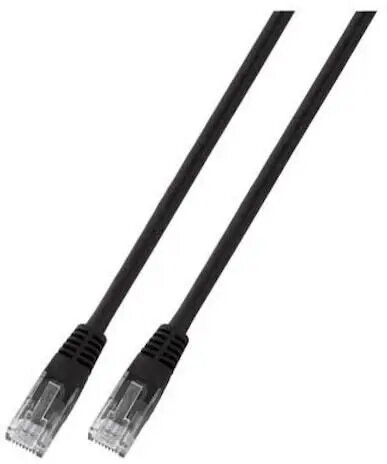
The SecurityNET PC-6UTPPVC-BK0.25 is a high-performance UTP Cat.6 patch cable engineered to provide stable and reliable network connectivity. Measuring 0.25 meters in length, this Ethernet cable is specifically designed for short-range data transmission, making it an essential component for maintaining organized and efficient network infrastructures. The cable features a robust PVC jacket that protects the internal wiring, ensuring longevity and consistent performance in various indoor environments.
Advantages
This Cat.6 patch cable offers superior signal integrity compared to older standards, supporting higher data transfer speeds and reduced crosstalk. Its compact 0.25-meter length is perfectly optimized for reducing cable clutter in dense environments such as server racks or patch panels. The flexible yet durable PVC construction allows for easy routing and installation without compromising the structural integrity of the cable, providing a dependable solution for high-speed local area network connections.
Suitable for
- Connecting network switches and routers within a server rack
- Patch panel interconnections
- Short-distance links between wall outlets and desktop computers
- Home office network setups requiring tidy cable management
When it may not be suitable
This cable is not intended for long-distance networking, as its 0.25-meter length limits its reach to immediate proximity connections. It is also not suitable for outdoor use or environments where the cable may be exposed to extreme temperatures, moisture, or direct sunlight, as the standard PVC jacket is designed for indoor conditions.
Key specifications
- Cable category: Cat.6
- Shielding type: UTP (Unshielded Twisted Pair)
- Length: 0.25 meters
- Jacket material: PVC
- Color: Black
How to use
To use the SecurityNET patch cable, simply insert the RJ45 connector into the corresponding network port on your device until you hear a click. Ensure that both ends are securely seated in their respective ports to maintain a stable connection. For optimal performance in a server rack, use the cable to bridge connections between adjacent patch panels or active hardware, ensuring that the cable is not pulled tight or bent at sharp angles.
What to consider before purchase
- Verify the required length to ensure 0.25 meters is sufficient for your specific setup
- Confirm that your network hardware supports Cat.6 standards for maximum performance
- Check the port availability on your devices to ensure compatibility with RJ45 connectors
Usage recommendations
For the best network performance, avoid running patch cables alongside high-voltage power lines to prevent electromagnetic interference. Keep the cable organized using cable ties or management panels to maintain airflow and accessibility within your server rack.