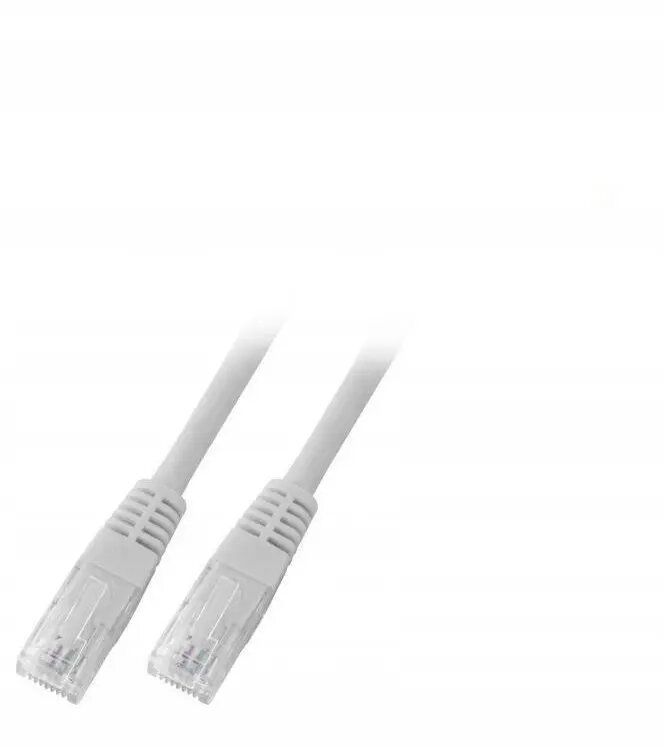
The SecurityNET Category 6 UTP patch cable is a high-performance networking solution designed to provide stable and reliable data transmission for various Ethernet applications. Measuring 1 meter in length, this cable is engineered with high-quality twisted pair wiring and a durable PVC jacket, ensuring consistent signal integrity for your home or office network setup.
Advantages
This patch cable offers excellent performance for high-speed data transfers, meeting Category 6 standards to support demanding network environments. The robust PVC construction provides long-lasting durability and flexibility, making it easy to route through tight spaces or cable management systems. Its reliable design minimizes interference, ensuring that your connected devices maintain a stable link for streaming, gaming, or professional data tasks.
Suitable for
- Connecting computers to local area networks
- Linking routers and modems to network switches
- Connecting network-attached storage devices
- Supporting VoIP phones and IP cameras
When it may not be suitable
This cable is not intended for outdoor use where it would be exposed to direct sunlight, moisture, or extreme temperature fluctuations, as the PVC jacket is designed for indoor environments. Additionally, it is not suitable for applications requiring shielded cables to prevent electromagnetic interference in industrial settings.
Key specifications
- Category: 6
- Cable type: UTP (Unshielded Twisted Pair)
- Length: 1 meter
- Jacket material: PVC
- Color: Grey
How to use
To use this patch cable, simply insert the RJ45 connector into the Ethernet port of your network device until you hear a click. Ensure that the cable is not bent at sharp angles or stretched tightly, as this can affect signal quality. The cable is plug-and-play, meaning it will automatically establish a connection once both ends are securely plugged into compatible ports.
What to consider before purchase
- Verify the required length for your specific setup to ensure the 1-meter cable is sufficient
- Confirm that your devices support Category 6 Ethernet standards
- Ensure the environment is suitable for an unshielded indoor cable
Usage recommendations
For optimal network performance, avoid running the cable parallel to power lines or near heavy electrical equipment to prevent potential signal degradation.