
JBL speakers and headphones for pure and deep sound!
In cart {{totalProductsCount}} item(s)
Your cart is empty
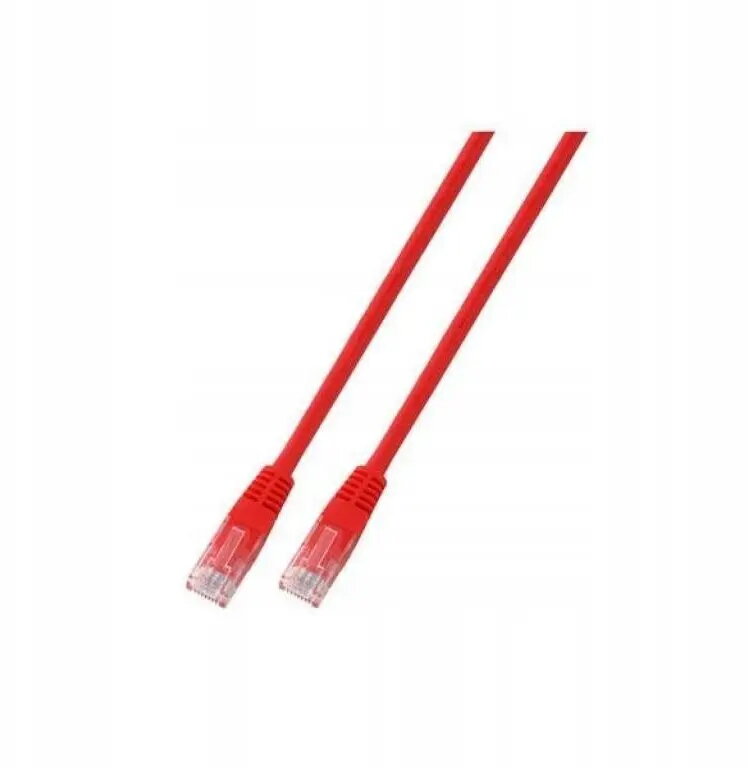
SecurityNET UTP Cat.6 Patch Cable 5m Red PVC
The SecurityNET UTP Cat.6 patch cable is a high-quality networking solution designed to provide stable and efficient data transmission for various local area network applications. Measuring 5 meters in length, this cable is engineered to connect essential hardware such as computers, routers, switches, and network-attached storage devices with ease. Its Category 6 standard supports high-speed performance, ensuring that your network infrastructure remains reliable and responsive for daily tasks.
This patch cable features a robust PVC jacket that offers protection against physical wear and tear, ensuring long-term durability in both home and office environments. The UTP (Unshielded Twisted Pair) design is optimized for standard networking environments, providing a balance between flexibility and signal integrity. By utilizing Category 6 technology, the cable effectively minimizes crosstalk and interference, which contributes to a more consistent and faster data transfer rate compared to older standards. The vibrant red color allows for easy identification and cable management within complex network setups.
This cable is not intended for outdoor use, as the PVC jacket is not designed to withstand prolonged exposure to UV radiation, moisture, or extreme temperature fluctuations. Additionally, it is not suitable for environments with high levels of electromagnetic interference where shielded (STP/FTP) cabling would be required to maintain signal quality.
To use the cable, simply insert the RJ45 connector into the network port of your device until you hear a distinct click, indicating that the locking tab is secure. Ensure that the cable is not bent at sharp angles or pinched by furniture, as this can damage the internal copper conductors and degrade performance. When disconnecting, press the plastic tab on the connector to release it safely from the port.
For optimal performance, avoid running network cables parallel to power lines for long distances to prevent potential electromagnetic interference. Keep the cable organized using ties or cable management trays to maintain airflow and prevent accidental damage.
{{highlightedFeature.featureTitle}}:
{{getProductFeatureValueById(product, highlightedFeature.featureId)}}