A curated selection of maximum value offers!
In cart {{totalProductsCount}} item(s)
Your cart is empty
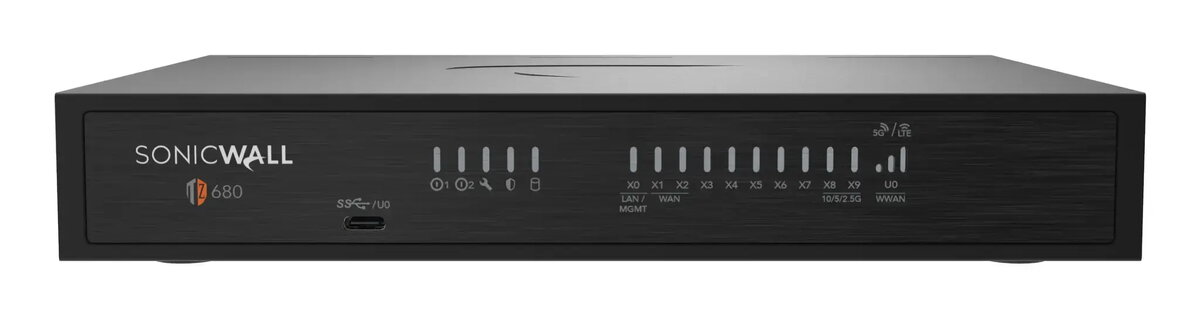
SonicWall TZ680 Hardware Firewall Desktop 5 Gbit/s with 512 GB Storage and Wired Connectivity
The SonicWall TZ680 hardware firewall is a robust desktop security solution designed to protect modern business networks. Offering a firewall throughput of 5 Gbit/s alongside a VPN throughput of 2.5 Gbit/s, this device delivers high-speed traffic management and secure data transmission for demanding environments. Equipped with 512 GB of total storage capacity utilizing eMMC and Flash media, it ensures reliable operational performance and efficient handling of security logs and system data. Built for wired connectivity with Ethernet LAN support up to 1000 Mbit/s and a USB console port, it integrates seamlessly into existing enterprise infrastructure and branch office setups.
This hardware firewall provides enterprise-class security features tailored for small to mid-sized businesses and branch locations. It incorporates advanced threat detection capabilities to identify sophisticated cyber threats and encrypted attacks effectively. Zero-Touch Deployment and centralized management options simplify the initial setup and ongoing administration, reducing the technical overhead typically associated with network security appliances. The inclusion of wired Ethernet connectivity ensures stable and reliable data transfer rates across the local network.
This device may not be appropriate for environments requiring wireless Wi-Fi connectivity built directly into the firewall appliance, as it relies strictly on wired Ethernet connections. Additionally, organizations with extreme data throughput requirements significantly exceeding 5 Gbit/s may need a higher-tier data center solution.
To set up the firewall, place the desktop unit in a secure, well-ventilated area near your network infrastructure. Connect your primary internet source and local network switches to the Ethernet ports using appropriate cables. Power on the device and utilize the USB console port or network management interface to complete the initial configuration following the manufacturer setup guidelines. Ensure that security policies and VPN settings are properly defined to match your organizational requirements before allowing live network traffic to pass through the appliance.
Usage recommendations: Regularly update the firmware and security definitions to maintain optimal protection against emerging threats. Monitor system resource utilization and storage capacity via the management interface to ensure uninterrupted firewall operation.
{{highlightedFeature.featureTitle}}:
{{getProductFeatureValueById(product, highlightedFeature.featureId)}}
{{ productComparisonGenerationError }}