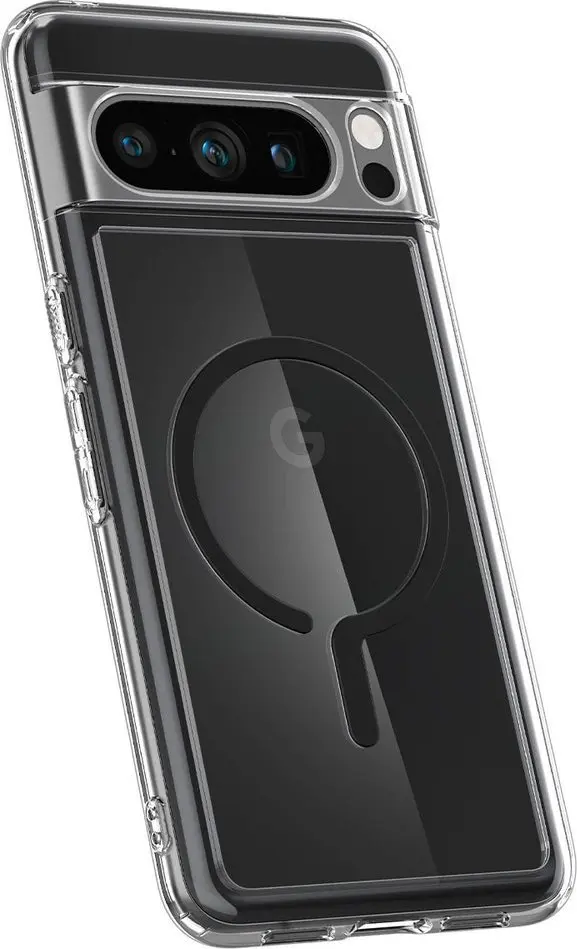
The Spigen Ultra Hybrid OneTap Metal Ring MagSafe Smartphone Case for Google Pixel 8 Pro Black is a durable cover designed to protect your device while offering enhanced functionality. Combining robust everyday drop protection with seamless magnetic accessory support, this smartphone case ensures your device remains safe from impacts and scratches. Featuring integrated MagSafe compatibility with a built-in metal ring, it allows for easy attachment of magnetic accessories and supports convenient wireless charging without removing the cover. Engineered specifically for the Google Pixel 8 Pro, it maintains a sleek profile while providing precise cutouts for all ports and responsive button covers for effortless operation.
Advantages
This smartphone case provides reliable everyday protection against accidental drops and daily wear. The integrated MagSafe compatibility with a metal ring ensures secure connection with magnetic mounts and accessories, improving overall convenience. Wireless charging functions seamlessly through the case, eliminating the need for removal during power-ups. Designed with precision, the cover offers accurate cutouts for ports, cameras, and speakers, alongside tactile, responsive button covers that protect the device without hindering usability. The sleek black profile preserves the original aesthetics of the Google Pixel 8 Pro while adding minimal bulk.
Suitable for
- Daily protection of the Google Pixel 8 Pro against drops and scratches
- Using MagSafe compatible chargers, wallets, and mounts
- Wireless charging without removing the case
- Users seeking a sleek black profile with precise cutouts and responsive buttons
When it may not be suitable
This smartphone case may not be suitable for users who prefer completely bare devices without any added bulk or weight. Additionally, individuals who do not use wireless charging or magnetic accessories may not fully utilize the integrated MagSafe features.
Key specifications
- Compatible with Google Pixel 8 Pro
- Integrated MagSafe compatibility with built-in metal ring
- Supports wireless charging
- Precise cutouts for ports and camera
- Responsive button covers
- Color: Black
How to use
To use the Spigen Ultra Hybrid OneTap Metal Ring MagSafe Smartphone Case, ensure your Google Pixel 8 Pro is clean and free of dust. Align the device with the interior of the cover and gently press it into place, starting from one corner and working around the edges until fully secured. To remove, gently push outward from one of the bottom corners. The case supports standard wireless charging pads and magnetic accessories instantly upon installation.
What to consider before purchase
- Verify that your device model is the Google Pixel 8 Pro
- Assess whether you utilize MagSafe accessories or wireless charging features
- Consider the black color and sleek profile regarding your aesthetic preferences
Usage recommendations
For optimal performance and longevity, clean the interior of the smartphone case periodically to prevent dust accumulation. Ensure the device is properly seated within the cover to maintain full responsiveness of the buttons and accurate alignment with the ports.