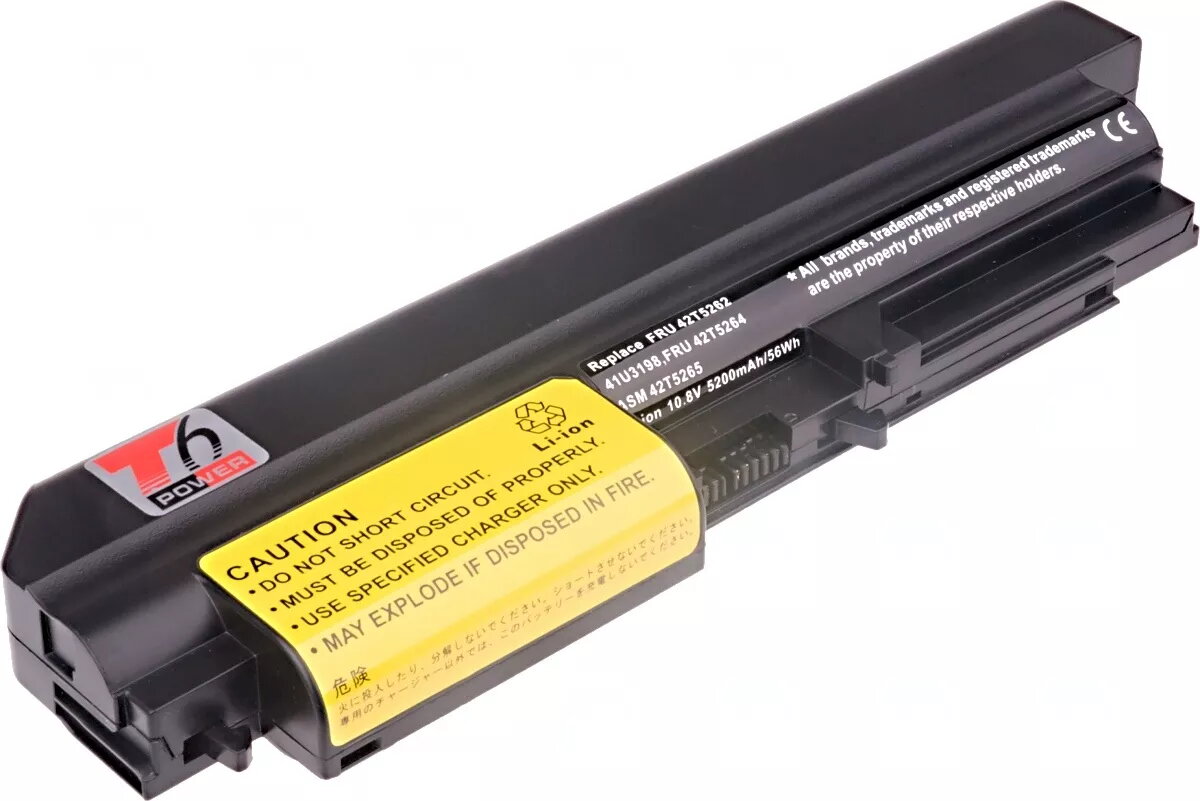
The t6 power replacement battery is a high-quality power solution specifically engineered for IBM ThinkPad T61, R61, R400, and T400 series laptops. This 6-cell lithium-ion battery provides a reliable capacity of 5200mAh and an energy rating of 56Wh, effectively restoring the mobile runtime of your notebook. Designed to meet the power requirements of older ThinkPad models, it ensures stable performance for daily computing tasks, allowing you to work away from a power outlet with confidence.
Advantages
This battery offers a seamless fit and reliable power delivery, matching the original specifications required for your ThinkPad. By utilizing high-quality lithium-ion cells, it provides a consistent energy supply and a stable voltage of 10.8V. The 6-cell configuration strikes an optimal balance between weight and capacity, making it an ideal choice for users who need to maintain portability without sacrificing battery life. Its robust construction ensures durability during regular use, providing a cost-effective way to extend the lifespan of your laptop.
Suitable for
- Everyday office work and document processing
- Fieldwork and mobile business tasks
- Travel and commuting where power access is limited
- Restoring functionality to legacy ThinkPad notebooks
When it may not be suitable
This battery is specifically designed for 14.1-inch widescreen versions of the listed ThinkPad models. It may not be compatible with standard-screen variants or other laptop series not explicitly mentioned. If your laptop requires a different voltage or physical form factor, this unit will not fit or function correctly.
Key specifications
- Capacity: 5200mAh (56Wh)
- Voltage: 10.8V
- Cell type: Li-ion, 6-cell
- Dimensions: 224.2 x 65 x 20.35 mm
- Weight: 315 g
- Color: Black
How to use
To install the battery, first ensure your laptop is powered off and disconnected from the AC adapter. Remove the old battery by releasing the locking mechanism on the underside of the laptop. Insert the new t6 power battery into the slot until it clicks securely into place. Once installed, it is recommended to fully charge the battery before its first use. For optimal performance, allow the battery to cycle through a full charge and discharge process during the first few days of operation.
What to consider before purchase
- Verify your laptop model and screen size (14.1-inch widescreen)
- Check the physical dimensions to ensure compatibility with your specific chassis
- Ensure your laptop is not currently experiencing motherboard power issues
Usage recommendations
For the best battery health, avoid keeping the laptop plugged into the AC adapter at 100% charge for extended periods. If you do not plan to use the laptop for a long time, store the battery in a cool, dry place with approximately 50% charge.