
This is due to long delivery times and limited product warranties.
Hurry and order now – up to 50% off!
In cart {{totalProductsCount}} item(s)
Your cart is empty
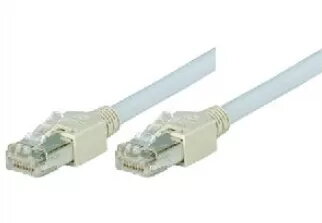
Networking cable Tecline S/UTP Cat5e 20m
The Tecline S/UTP Cat5e networking cable is a reliable solution for establishing stable and high-speed data connections in home or office environments. With a length of 20 meters, this cable provides sufficient reach for connecting network devices across larger rooms or between different workstations. The S/UTP shielding helps minimize electromagnetic interference, ensuring consistent signal quality during data transmission. Equipped with standard RJ-45 connectors on both ends, it is ready for immediate use with routers, switches, computers, and other networking hardware.
This networking cable offers a robust construction that balances flexibility and durability, making it easy to route through cable management systems or along baseboards. The inclusion of S/UTP shielding provides a significant advantage in environments where electronic interference might otherwise degrade network performance. Its neutral grey color allows it to blend seamlessly into most professional or residential interiors without being visually distracting. The pre-installed RJ-45 connectors eliminate the need for manual assembly, providing a plug-and-play experience that saves time and ensures a secure connection.
This cable may not be the optimal choice for high-bandwidth professional server rooms or data centers that require Cat6a or Cat7 standards for faster speeds and higher frequency support. Additionally, it is not designed for outdoor use, as the outer jacket is not rated for exposure to direct sunlight, moisture, or extreme temperature fluctuations.
To use the Tecline S/UTP Cat5e cable, simply insert one of the RJ-45 connectors into the network port of your primary device, such as a router or modem. Take the opposite end and plug it into the network port of your target device, such as a computer, printer, or gaming console. Ensure that the connector clicks firmly into place to guarantee a stable physical connection. Once connected, the network interface on your device should automatically detect the link and establish a connection.
For optimal performance, avoid bending the cable at sharp angles or placing heavy furniture on top of it, as this can damage the internal wiring and reduce signal integrity. Keep the cable away from high-voltage power lines to prevent potential electromagnetic interference.
{{highlightedFeature.featureTitle}}:
{{getProductFeatureValueById(product, highlightedFeature.featureId)}}