A curated selection of maximum value offers!
In cart {{totalProductsCount}} item(s)
Your cart is empty
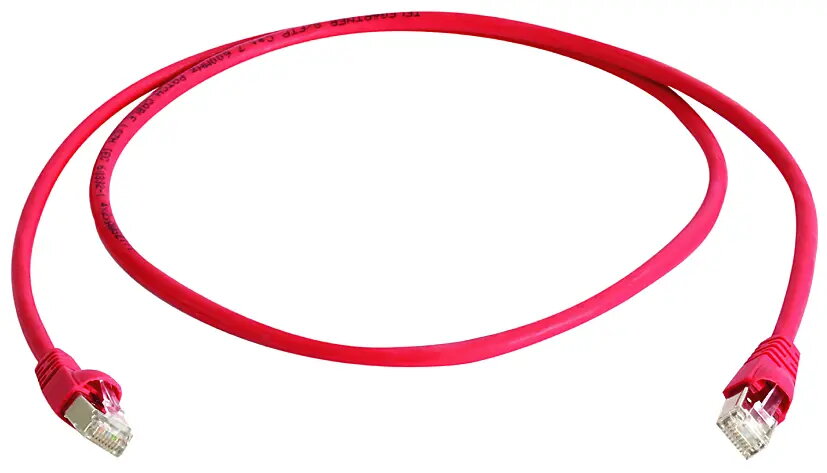
Telegärtner 100028073 Cat6a S/FTP Networking Cable RJ-45 Male to Male 6.5 m Red 10000 Mbit/s
The Telegärtner 100028073 Cat6a S/FTP Networking Cable is a high-performance solution designed for reliable and fast wired data transmission. Measuring 6.5 meters in length, this red networking cable connects devices with RJ-45 male connectors on both ends. It supports data transfer speeds of up to 10000 Mbit/s, making it suitable for demanding network environments such as modern offices and data centers where speed and stability are essential. The integrated S/FTP shielding protects signals from electromagnetic interference, ensuring consistent network performance. Additionally, the distinct red color simplifies cable management and helps quickly identify specific connections within complex setups.
This networking cable utilizes the Cat6a standard to deliver exceptional data rates up to 10000 Mbit/s, which easily handles heavy network traffic and large file transfers. The advanced S/FTP shielding effectively minimizes signal interference and crosstalk, resulting in a stable and secure connection even in environments with high electronic noise. The 6.5-meter length offers sufficient reach for connecting equipment across larger desks, between room racks, or through office spaces without excessive slack. Furthermore, the robust construction featuring RJ-45 male connectors on both ends ensures secure plugging and long-term durability. The vibrant red color is practical for visual coding, allowing administrators to easily track specific lines in multi-cable installations.
This cable may not be suitable for installations requiring very short connections, as the 6.5-meter length could create unnecessary slack and clutter in compact spaces. Similarly, it is not designed for outdoor use where exposure to moisture and UV radiation can damage the materials.
To use the Telegärtner Cat6a networking cable, insert one RJ-45 male connector into the network port of your active device, such as a computer, router, or switch, until it clicks securely into place. Take the opposite end of the cable and plug it into the corresponding port of the target network device or wall outlet. Ensure the connectors are aligned correctly before pushing them in to avoid damaging the internal pins. To disconnect, press down on the plastic retaining tab of the connector and gently pull the plug straight out of the port without tugging on the cable itself.
For optimal network performance, avoid bending the cable sharply around tight corners and prevent heavy objects from resting on the wire to protect the internal shielding and conductors from damage.
{{highlightedFeature.featureTitle}}:
{{getProductFeatureValueById(product, highlightedFeature.featureId)}}
{{ productComparisonGenerationError }}