Leave your address - as soon as the price of the product goes down, you'll know about it right away
Load Balance Broadband Router TP-Link TL-R480T+, IEEE 802.3, 4MB Flash
In cart {{totalProductsCount}} item(s)
Your cart is empty
Load Balance Broadband Router TP-Link TL-R480T+, IEEE 802.3, 4MB Flash
Leave your address - as soon as the price of the product goes down, you'll know about it right away
Load Balance Broadband Router TP-Link TL-R480T+, IEEE 802.3, 4MB Flash
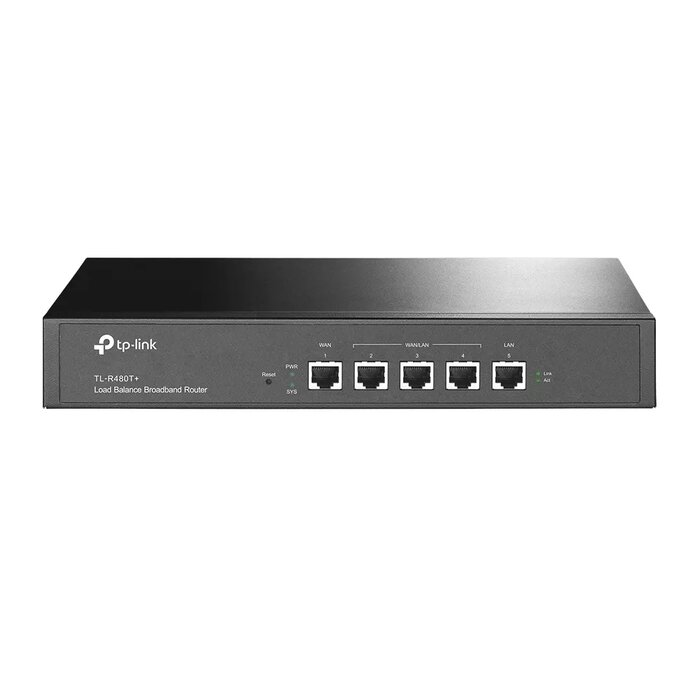
The TP-Link TL-R480T+ Load Balance Broadband Router is a Fast Ethernet router designed for small business networks and multi-WAN environments. Compliant with IEEE 802.3 standards, it supports TCP/IP and PPPoE protocols, offers 4MB flash and 64MB DRAM memory, and provides flexible WAN/LAN port assignment to combine up to four Internet connections in a single device.
The router includes three changeable WAN/LAN ports (expandable to support up to four WANs), integrated smart load balancing, advanced QoS and a hardware firewall to maintain stable connectivity and optimize bandwidth use. It implements multiple security features such as DoS attack detection and IP/MAC/URL/Web filtering, and supports PPPoE Server, IP-based bandwidth control and an E-Bulletin function for account notifications. The device also incorporates professional lightning protection for up to 4 kV when properly grounded.
Install the TL-R480T+ in a well-ventilated location and connect WAN and LAN cables to the RJ-45 ports. Access the router’s web-based utility from a browser using the default management IP to configure WAN interfaces, load balancing rules and QoS settings. Create PPPoE accounts via the PPPoE Server if required and apply IP-based bandwidth control rules to limit usage for specific accounts. Set firewall and filtering rules to restrict unwanted sites and applications, and enable E-Bulletin to notify users about PPPoE account status.
For reliable protection, ensure the router is correctly grounded to benefit from the 4 kV lightning protection. Keep firmware updated and configure backup WANs and load-balancing policies to maintain network uptime.
{{highlightedFeature.featureTitle}}:
{{getProductFeatureValueById(product, highlightedFeature.featureId)}}