
Save time and money with our discounts!
In cart {{totalProductsCount}} item(s)
Your cart is empty
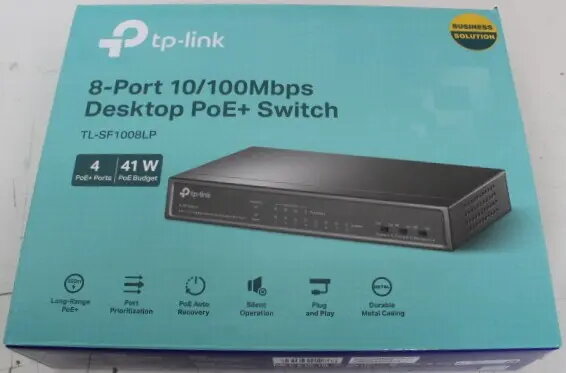
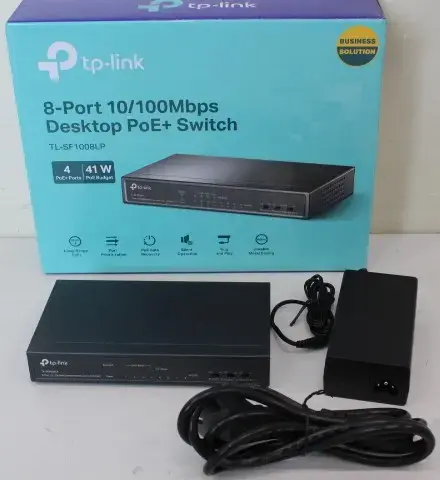
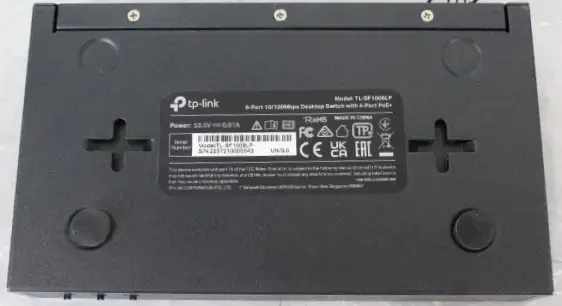
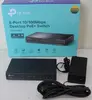
TP-Link TL-SF1008LP Unmanaged Desktop Switch with 8 10/100Mbps Ports, 4 PoE Ports, External Power Supply, and Steel Case
The TP-Link TL-SF1008LP Unmanaged Desktop Switch with 8 10/100Mbps Ports, 4 PoE Ports, External Power Supply, and Steel Case is a reliable networking solution designed to expand wired network connections in small offices and home environments. Featuring 8 RJ-45 ports supporting 10/100 Mbps speeds, this device allows seamless connection for multiple wired equipment such as computers, printers, and network storage. Out of the 8 ports, 4 are equipped with Power over Ethernet functionality conforming to the 802.3af standard, delivering up to 15.4 watts of power per port. This dual functionality enables the switch to transmit both data and electrical power over a single Ethernet cable to compatible devices like IP cameras or VoIP phones, reducing cable clutter and simplifying installation. Housed in a durable steel case, the switch ensures physical longevity and efficient operation, supported by an external power supply.
This desktop switch offers straightforward plug-and-play installation without the need for complex software configuration, making it accessible for users of all technical levels. The inclusion of 4 PoE ports eliminates the requirement for separate power adapters for connected PoE-compatible devices, significantly streamlining deployment in locations where electrical outlets are scarce. The robust steel housing provides enhanced durability and protection for internal components, ensuring stable performance in daily operations. With its unmanaged design, the switch operates automatically, allocating bandwidth and power efficiently to connected hardware without manual intervention.
This device may not be suitable for large enterprise networks requiring advanced traffic management, VLAN configuration, or remote monitoring capabilities, as it is a strictly unmanaged switch. Additionally, network setups requiring Gigabit or higher speeds will exceed the 10/100 Mbps transfer limits of this model.
To set up the switch, place it on a flat desktop surface or in an appropriate location with adequate ventilation. Connect the included external power supply to the unit and plug it into a standard electrical outlet. Use standard Ethernet cables to connect your router or primary network source to one of the available ports on the switch. Connect your computers, printers, or PoE-compatible devices such as IP cameras to the remaining ports. The switch will automatically initialize and establish network communication without requiring any manual configuration or driver installations.
Usage recommendations: Position the switch in a well-ventilated area away from direct heat sources and moisture to maintain optimal operating temperatures and prolong device lifespan.
{{highlightedFeature.featureTitle}}:
{{getProductFeatureValueById(product, highlightedFeature.featureId)}}
{{ productComparisonGenerationError }}
