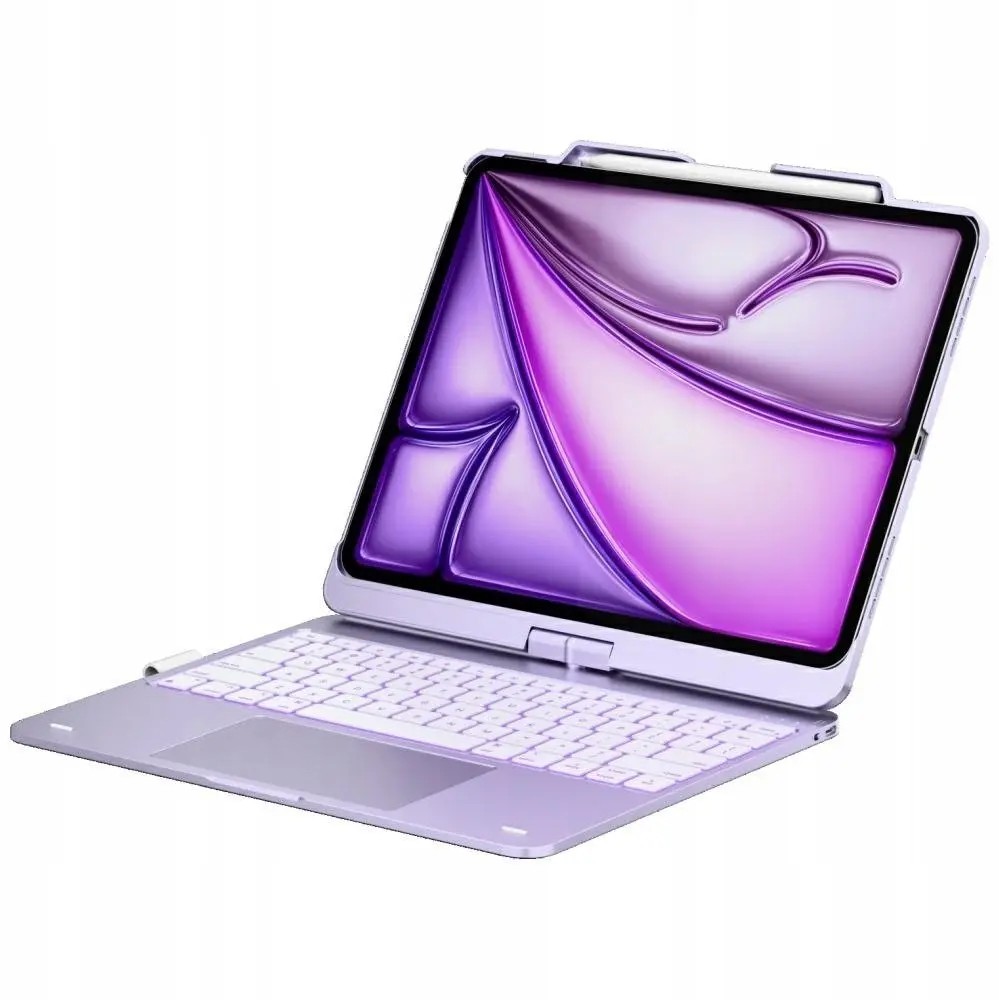
Typecase Flexbook Touch keyboard case for iPad Air 13" M2/M3/M4 (2024–2026) in light purple is a protective folio that integrates a backlit keyboard and touchpad to convert the tablet into a more productive workstation. The case is shaped to align with the iPad Air 13" device ports and camera cutouts, supports magnetic attachment and allows multiple viewing angles for typing, video calls and media playback. The light purple finish adds a subtle color accent while protecting the device from scratches and everyday wear.
Advantages
The integrated keyboard features backlighting to support typing in varied lighting conditions and a built-in touchpad to provide precise cursor control without requiring external accessories. The folio construction protects front and back surfaces and includes a secure magnetic attachment that keeps the iPad in place while offering easy removal. Multiple viewing angles let you switch between a writing position, a viewing position for media, and a comfortable angle for video calls.
Suitable for
- Students who need a compact keyboard for note-taking and study sessions
- Professionals who use iPad Air 13" for email, document editing and presentations
- Remote workers and hybrid users who require a portable typing solution with a touchpad
- Everyday users who want added protection and hands-free viewing for media
When it may not be suitable
This case is designed specifically for the 13-inch iPad Air models with M2, M3 and M4 chips (2024–2026). It may not fit other iPad models or tablets with different dimensions or port and camera placements. Users who prefer a detachable full‑size mechanical keyboard or need rugged, drop-tested protection may find this folio-style case does not meet those specific requirements.
Key specifications
- Compatibility: iPad Air 13" models with M2 (2024), M3 (2025) and M4 (2026)
- Included components: folio case with integrated backlit keyboard and touchpad
- Attachment: magnetic alignment for secure hold and easy detachment
- Viewing positions: multiple adjustable angles for typing and viewing
- Protection: front and back coverage against scratches and daily wear
- Color: light purple
How to use
Place the iPad Air 13" into the case aligning camera and port cutouts, allowing the magnetic attachment to secure the device. Open the folio and adjust the stand to the preferred viewing angle. Turn on the keyboard backlight if needed and pair the keyboard with the iPad following on‑screen Bluetooth or wired setup instructions if applicable. Use the integrated touchpad for cursor control and gestures; close the folio to sleep the device where supported.
What to consider before purchase
- Ensure your iPad is the 13" iPad Air model with M2, M3 or M4 chip (2024–2026) to guarantee fit.
- Decide if a folio-style keyboard case meets your needs versus a detachable or full-size external keyboard.
- Check whether backlit keys and an integrated touchpad are required for your typical working conditions.
- Consider color preference and whether light purple suits your personal or professional environment.
Usage recommendations
For stable typing, place the iPad on a flat surface and use the typing angle; charge and update the keyboard firmware regularly if the keyboard is rechargeable; clean the case exterior with a soft, dry cloth and avoid liquids near ports and the keyboard.