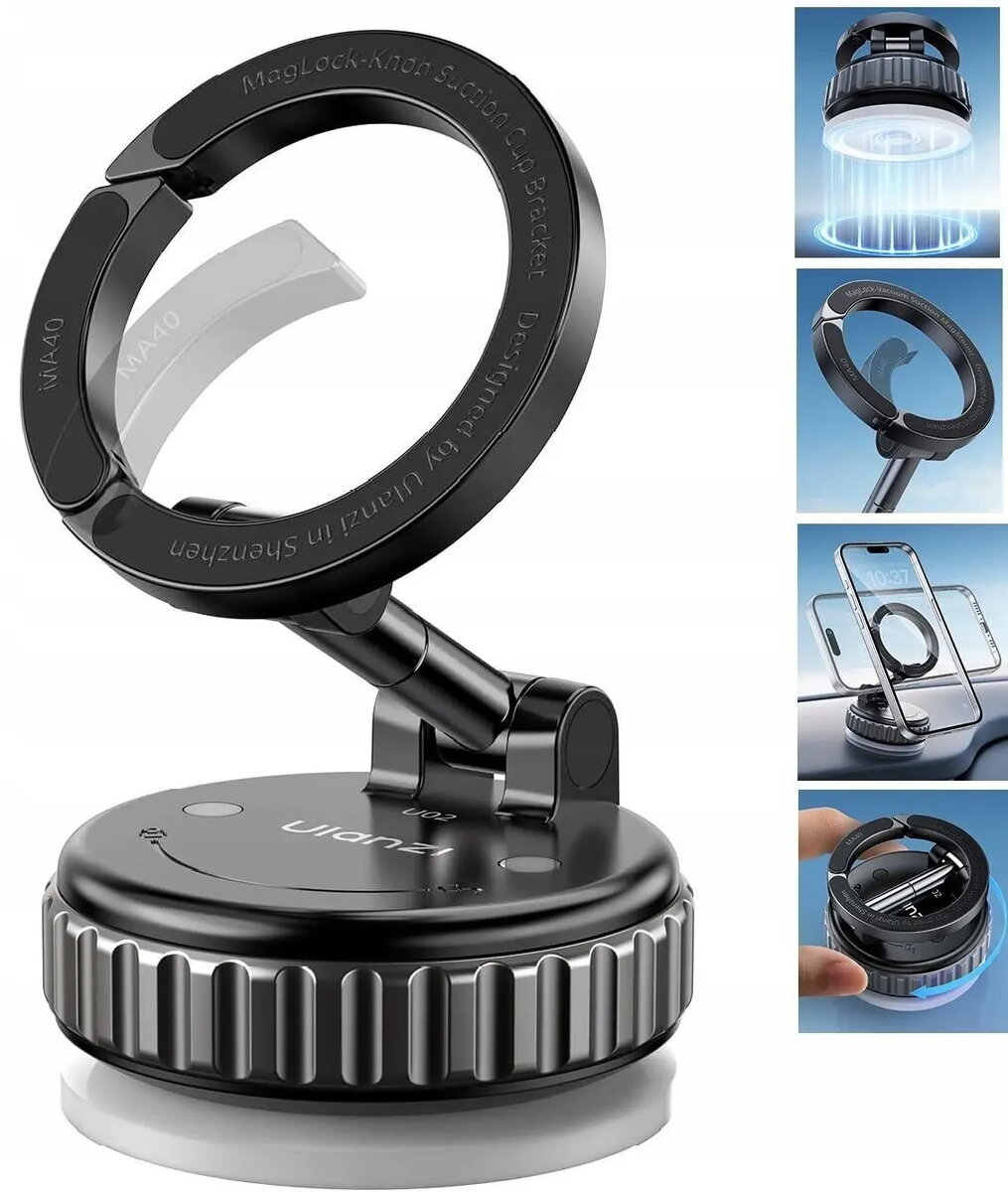
Ulanzi SB11551 is a vacuum-suction phone mount designed for MagSafe-compatible phones. The mount combines a strong suction base for attachment to smooth surfaces with magnetic alignment for MagSafe-enabled devices, and provides 360° rotation and adjustable viewing angles. It is intended for hands-free use at home, in a studio, inside a vehicle on flat dashboards or windshields, or on smooth work surfaces for recording, video calls and navigation.
Advantages
The vacuum-suction base creates a firm attachment to glass, polished metal or other flat smooth surfaces without permanent fixtures. Magnetic MagSafe alignment ensures quick and secure positioning of compatible phones while allowing easy removal. The 360° rotation and adjustable tilt let you orient the phone for portrait or landscape use and fine-tune the viewing angle for recordings, maps or video calls. The compact design keeps the phone close to the mounting surface and minimizes visual obstruction in vehicle interiors or studio setups.
Suitable for
- Hands-free video calls and live streaming on MagSafe-compatible phones
- Using navigation apps in a vehicle with a flat dashboard or a clean windshield
- Desktop or studio recording where a stable phone position is required
- Hands-free viewing of media or recipes on smooth kitchen counters or tables
When it may not be suitable
This mount relies on a vacuum-suction base and a smooth, non-porous surface for reliable attachment; it may not hold securely on textured, curved, dusty or porous surfaces. Phones without MagSafe or compatible magnetic rings will not attach magnetically and may require an adapter or separate clamp. Very heavy phone cases or bulky mounts attached to the phone may weaken the magnetic connection and reduce stability.
Key specifications
- Mount type: vacuum-suction base with magnetic phone attachment
- Compatibility: designed for MagSafe-capable phones and devices with compatible magnetic alignment
- Rotation: 360° rotation for portrait and landscape orientation
- Adjustment: adjustable tilt for custom viewing angles
- Surface requirement: smooth, flat non-porous surfaces such as glass, polished metal or smooth plastic
- Typical use cases: in-car dashboard or windshield mounting, desk/studio placement, kitchen counters
How to use
Clean the mounting surface thoroughly to remove dust, grease and moisture. Press the suction base firmly onto the smooth surface and engage the vacuum mechanism according to the product’s release/lock operation to create a secure seal. Align the MagSafe-compatible phone so the magnets connect to the mount and adjust rotation and tilt until the desired viewing angle is achieved. To remove, detach the phone and release the vacuum mechanism following the product’s instructions, then lift the mount from the surface.
What to consider before purchase
- Whether your phone is MagSafe-compatible or has a compatible magnetic adapter
- Type of surfaces where you intend to mount — requires smooth, flat, non-porous surfaces
- Use with heavy or bulky phone cases which may reduce magnetic holding strength
- Desired mounting positions: dashboard, windshield, desk or counter
Usage recommendations
For best performance, attach the suction base to a clean, flat surface and avoid mounting on textured or curved areas. Remove dust and oils before installation, and test the mount’s hold with your specific phone and case before relying on it during driving or recording. If necessary, use a thin MagSafe-compatible adapter to improve magnetic alignment for non-MagSafe phones.