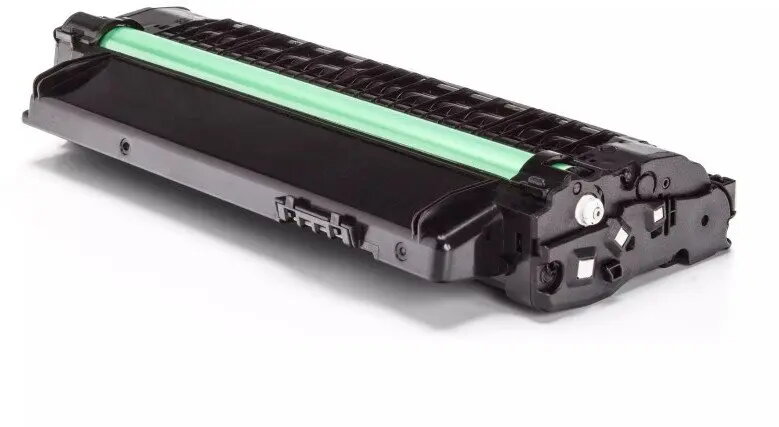
V7 GenerInk Black Laser Toner for Samsung MLT‑D1052L is a compatible replacement cartridge formulated to deliver clear black text and graphics for monochrome Samsung printers that accept the MLT‑D1052L family. It is intended for general office and home printing tasks such as letters, reports, invoices and other document production where reliable black toner is required. The cartridge is offered as a direct replacement for the OEM cartridge and is designed to work with standard printing settings used in everyday environments.
Advantages
The cartridge provides consistent black density across pages to maintain legible text and sharp monochrome graphics. It is manufactured to meet common compatibility and fit standards for printers that accept the MLT‑D1052L-type cartridges, and can be installed and used with standard printer drivers. The product aims to offer a balance of print quality and value for routine document printing, supporting typical office workflows.
Suitable for
- Monochrome document printing such as letters, invoices and reports
- Home office and small business printing needs
- Everyday use in printers that accept MLT‑D1052L cartridges
- High-volume text printing where consistent black output is required
When it may not be suitable
This compatible toner is intended for monochrome printing and is not suitable for colour printing tasks. If your workflow demands OEM-certified supplies for warranty or enterprise-managed printer fleets, this third-party compatible cartridge may not meet those specific procurement requirements. Very high-resolution graphic or photographic printing may show differences compared with original manufacturer toners.
Key specifications
- Colour: Black
- Technology: Laser toner cartridge compatible with MLT‑D1052L-type printers
- Intended use: Monochrome document printing
- Compatibility: Designed for Samsung printers that accept MLT‑D1052L cartridges
- Yield: Intended for standard page yields comparable to cartridges for general office use
How to use
Turn off the printer and open the front cover according to the printer manufacturer’s instructions. Remove the used cartridge by following the printer’s removal steps, unpack the V7 GenerInk toner and gently shake it once or twice to distribute toner evenly before installation. Insert the replacement cartridge into the correct slot until it clicks into place, close the cover and turn the printer back on. Allow the printer to initialize and print a test page or alignment page if prompted by the device software.
What to consider before purchase
- Confirm that your printer model accepts MLT‑D1052L-type cartridges before buying
- Consider whether third-party compatible cartridges meet your organisation’s warranty or procurement policies
- Evaluate expected monthly print volume to ensure the cartridge yield matches your usage
Usage recommendations
Store the cartridge in a cool, dry place away from direct sunlight and high humidity. For consistent print results, use standard print settings for text documents and perform periodic cleaning routines recommended by your printer manufacturer. If print quality problems occur after installation, run the printer’s cleaning and calibration utilities and re-seat the cartridge following the printer’s guidelines.