
Save time and money with our discounts!
In cart {{totalProductsCount}} item(s)
Your cart is empty
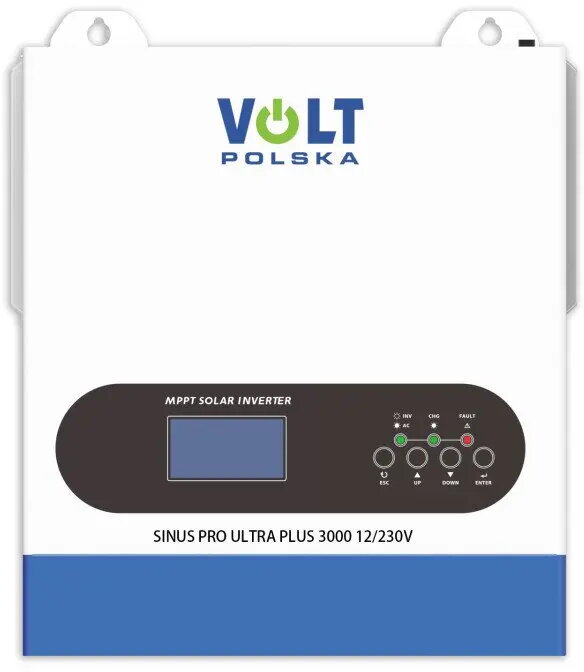
Inverter Charger Volt SinusPro ULTRA PLUS 7000 24V/230V 3500/7000W with Wi‑Fi and 100A MPPT (60–500V)
Volt SinusPro ULTRA PLUS 7000 is a 24V to 230V inverter charger designed for off-grid, backup power and hybrid solar installations. It provides 3,500 W continuous output with a 7,000 W peak capacity and combines inverter, charger and MPPT solar regulator functions in a single unit. The built-in 100 A MPPT accepts PV arrays with a 60–500 V input range and the integrated Wi‑Fi module allows remote monitoring and configuration of charging and inverter parameters.
The device integrates inverter, AC charger and a high-voltage MPPT solar controller in one compact enclosure, reducing system complexity and cabling. High continuous and peak power ratings support heavy starting loads and transient demands. The wide MPPT input range offers flexible PV string configuration and improved energy harvest. Onboard Wi‑Fi enables monitoring of bank voltage, PV input and charging status without additional gateways.
Install the inverter charger in a dry, ventilated location near the battery bank and connect DC cables to the 24 V battery system following polarity and cable size recommendations from your installer. Connect the PV array to the MPPT input observing the allowable voltage range and use appropriate DC protection devices. Wire the AC distribution or generator input to the AC terminals to enable AC charging and automatic transfer. Configure Wi‑Fi connectivity and monitoring settings through the device web interface or the manufacturer's application to observe battery state, PV production and charging profiles.
Match battery capacity and cable cross-sections to the inverter's continuous and peak currents to ensure safe operation. Use surge-protective devices on the AC side and appropriate DC fusing between PV, batteries and the inverter. For optimal solar yield, design the PV string voltage to fall within the MPPT window under expected temperature conditions. Periodically check firmware updates via the Wi‑Fi interface and follow local electrical codes during installation.
{{highlightedFeature.featureTitle}}:
{{getProductFeatureValueById(product, highlightedFeature.featureId)}}
{{ productComparisonGenerationError }}