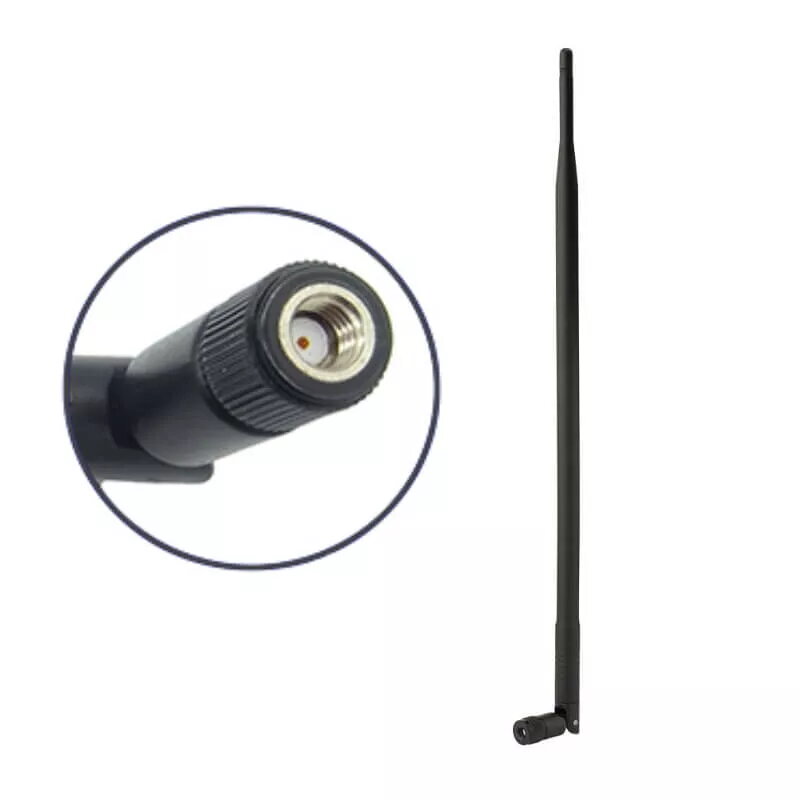
The W-STAR WStar101 is a high-gain 10dBi omnidirectional WiFi antenna engineered to operate within the 2.4GHz frequency band. This stick-style antenna is designed to replace standard, lower-gain antennas on networking equipment, providing a significant boost in signal strength and coverage area. Equipped with a standard RSMA connector, it ensures broad compatibility with a wide range of wireless devices, including routers, access points, and network interface cards, making it a practical upgrade for improving wireless network performance.
Advantages
The primary benefit of the W-STAR WStar101 is its 10dBi gain, which allows for a more focused and powerful signal transmission compared to stock antennas. Its omnidirectional design ensures that the signal is distributed evenly in all horizontal directions, providing consistent coverage throughout a room or office space. The compact stick-style form factor allows for easy installation without requiring additional cabling or complex mounting hardware. By enhancing the signal reception and transmission capabilities of your hardware, this antenna helps to reduce dead zones and improves overall connection stability for connected devices.
Suitable for
- Home WiFi routers and wireless access points
- Network adapters for desktop computers
- Extending wireless coverage in small to medium-sized offices
- Replacing damaged or low-gain stock antennas
When it may not be suitable
This antenna is designed exclusively for the 2.4GHz frequency band and will not provide any performance benefits for 5GHz or 6GHz WiFi networks. It is also not suitable for outdoor use, as it lacks weatherproofing and is intended for indoor environments only.
Key specifications
- Frequency range: 2.4GHz
- Gain: 10dBi
- Polarization: Vertical
- Connector type: RSMA male
- Design: Omnidirectional stick-style
How to use
To install the W-STAR WStar101, simply power off your wireless device and locate the existing antenna port. Unscrew the current antenna by rotating it counter-clockwise. Align the RSMA connector of the W-STAR antenna with the port on your device and screw it on clockwise until it is finger-tight. Ensure the antenna is positioned vertically for optimal signal distribution. Once installed, power on your device and check your network settings to verify the improved signal strength.
What to consider before purchase
- Verify that your router or network device has a detachable antenna with an RSMA connector.
- Ensure your device operates on the 2.4GHz frequency band.
- Check the physical clearance around your device to ensure the antenna can be positioned vertically without obstruction.
Usage recommendations
For the best performance, position your router or access point in a central, elevated location away from large metal objects or thick concrete walls that may interfere with the 2.4GHz signal.