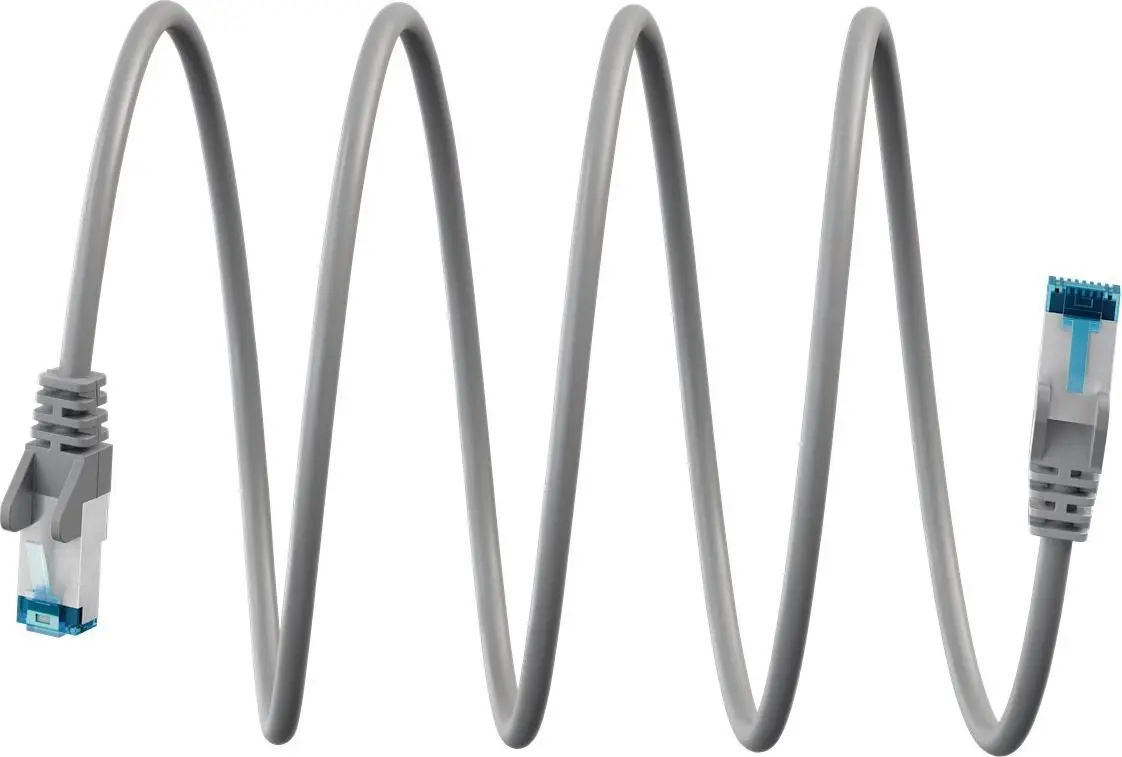
The Goobay Ultraflexible CAT 6A Patch Cable S/FTP PiMF Gray is compared with several alternative patch cable options from the same manufacturer WENTRONIC (Goobay), including WENTRONIC Goobay Ultraflexible CAT 6A Patch Cable S/FTP (PiMF), black, WENTRONIC Goobay Ultraflexibles CAT 6A S/FTP (PiMF) patch cable, grey, WENTRONIC Goobay Ultraflexible Cat 6A S/FTP (PiMF) patch cable, black, Patch Cable GOOBAY Cat 6a S/FTP PiMF, gray, 0.25 m, and WENTRONIC Goobay Cat 6A S/FTP (PiMF) Ultraflexible Patch Cable, black. All these products share CAT 6A networking support, S/FTP shielding with PiMF foil pairs to minimize electromagnetic interference, and high flexibility for easy routing. The main practical differences lie in the outer jacket color, specific length options for certain variants, and visual color-coding requirements for server rooms, patch panels, or office networks.
⚙️ A detailed comparison of the technical specifications and design features for all compared cables is provided in the table below, outlining their shared and distinct characteristics.
| Parameter | Goobay Ultraflexible CAT 6A (gray) | Goobay Ultraflexible CAT 6A (black, 79371) | Goobay Ultraflexibles CAT 6A (gray, 79373) | Goobay Ultraflexible Cat 6A (black, 79346) | Patch Cable GOOBAY Cat 6a (0.25m) | Goobay Cat 6A Ultraflexible (black, 79343) | Practical significance |
|---|
| Network category | CAT 6A | CAT 6A | CAT 6A | CAT 6A | Cat 6a | Cat 6A | All models support high-speed 10 Gigabit Ethernet networking environments. |
| Shielding | S/FTP PiMF | S/FTP (PiMF) | S/FTP (PiMF) | S/FTP (PiMF) | S/FTP PiMF | S/FTP (PiMF) | Provides identical high-level protection against crosstalk and EMI. |
| Flexibility | Ultraflexible | Ultraflexible | Ultraflexible | Ultraflexible | Standard/Flexible | Ultraflexible | Ultraflexible designs simplify installation in tight spaces and crowded racks. |
| Jacket color | Gray | Black | Gray | Black | Gray | Black | Color choice assists with visual organization and cable management. |
| Length | Not specified | Not specified | Not specified | Not specified | 0.25 m | Not specified | Fixed short length is ideal for connecting adjacent ports in patch panels. |
◎ The suitability and use case scenarios for each evaluated product are summarized in the suitability table below.
| Use case | Recommended product | Why |
|---|
| Standard home or office networking in gray | Goobay Ultraflexible CAT 6A Patch Cable S/FTP PiMF Gray | Gray color seamlessly integrates with typical office environments and gray structured cabling. |
| High-density routing in black server rooms | WENTRONIC Goobay Ultraflexible CAT 6A Patch Cable S/FTP (PiMF), black | Black jacket offers a discreet look suited for dark server racks and equipment. |
| Gray patch panels requiring flexible routing | WENTRONIC Goobay Ultraflexibles CAT 6A S/FTP (PiMF) patch cable, grey | Allows easy bends in tight routing paths while matching a gray color scheme. |
| Organized patch panel connections (black) | WENTRONIC Goobay Ultraflexible Cat 6A S/FTP (PiMF) patch cable, black | Black color helps visually separate specific network groups within a rack. |
| Connecting adjacent devices over a very short distance | Patch Cable GOOBAY Cat 6a S/FTP PiMF, gray, 0.25 m | The 0.25 m short length eliminates excess cable slack in patch cabinets. |
| General high-speed connections | WENTRONIC Goobay Cat 6A S/FTP (PiMF) Ultraflexible Patch Cable, black | A versatile ultraflexible solution for data centers and black-themed setups. |
The primary difference between the Goobay Ultraflexible CAT 6A Patch Cable S/FTP PiMF Gray and the alternative products is its gray jacket color and flexible CAT 6A construction. This product is most suitable for users who need a reliable, shielded network patch lead in a gray finish for home or office setups. A buyer may prefer this option when specific color coding is required to match existing infrastructure, while still benefiting from identical high-speed performance and interference protection.