Powerful EcoFlow stations for energy anywhere!
In cart {{totalProductsCount}} item(s)
Your cart is empty
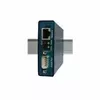
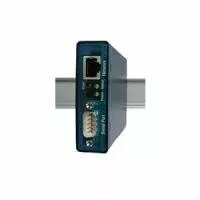
PoE Power over Ethernet w&t COM-Server 58665, 1-port serial (9-pin D-sub)
The w&t COM-Server 58665 is a single-port PoE device that provides one RS-232 serial interface via a 9-pin D-sub connector, enabling serial equipment to be accessed and managed over an Ethernet network with power supplied through Power over Ethernet (PoE). Designed for industrial and remote integration, this compact unit removes the need for a separate power supply at the device site and allows centralized network management of serial devices while preserving reliable data transmission between legacy serial equipment and modern IP networks.
The COM-Server 58665 supports both data connectivity and power delivery over a single Ethernet cable, reducing cabling complexity and installation costs. Its single 9-pin D-sub serial port maintains compatibility with RS-232 devices commonly used in measurement, control and automation systems. The device is suitable for rack or field installations and enables secure remote access to serial equipment without local power outlets. Its industrial-grade design ensures consistent performance in networked environments and integrates with standard network management tools.
Install the w&t COM-Server 58665 near the serial device and connect the 9-pin D-sub serial cable to the RS-232 port. Plug an Ethernet cable from a PoE-capable switch or injector into the device's network port to provide both network connectivity and power. Configure network settings and serial port parameters (baud rate, parity, data bits, stop bits) through the device's management interface or software to match the connected serial equipment. Once configured, the serial device becomes reachable over the IP network for remote access, monitoring, and data collection.
Use a PoE switch or injector that meets the required PoE class for the device and ensure cable runs follow industry standards for shielded or unshielded twisted pair as appropriate. Match serial port settings precisely to the connected device to avoid communication errors. For installations in harsh environments, mount the unit in a protected enclosure or in a location that meets the device's environmental specifications. Regularly verify firmware and network security settings to maintain reliable and secure remote access to serial equipment.
{{highlightedFeature.featureTitle}}:
{{getProductFeatureValueById(product, highlightedFeature.featureId)}}
{{ productComparisonGenerationError }}