Leave your address - as soon as the price of the product goes down, you'll know about it right away
WiFi range extender Xiaomi Mi DVB4348GL BOX 300 Mbps - dual-band repeater
In cart {{totalProductsCount}} item(s)
Your cart is empty
WiFi range extender Xiaomi Mi DVB4348GL BOX 300 Mbps - dual-band repeater
Leave your address - as soon as the price of the product goes down, you'll know about it right away
WiFi range extender Xiaomi Mi DVB4348GL BOX 300 Mbps - dual-band repeater
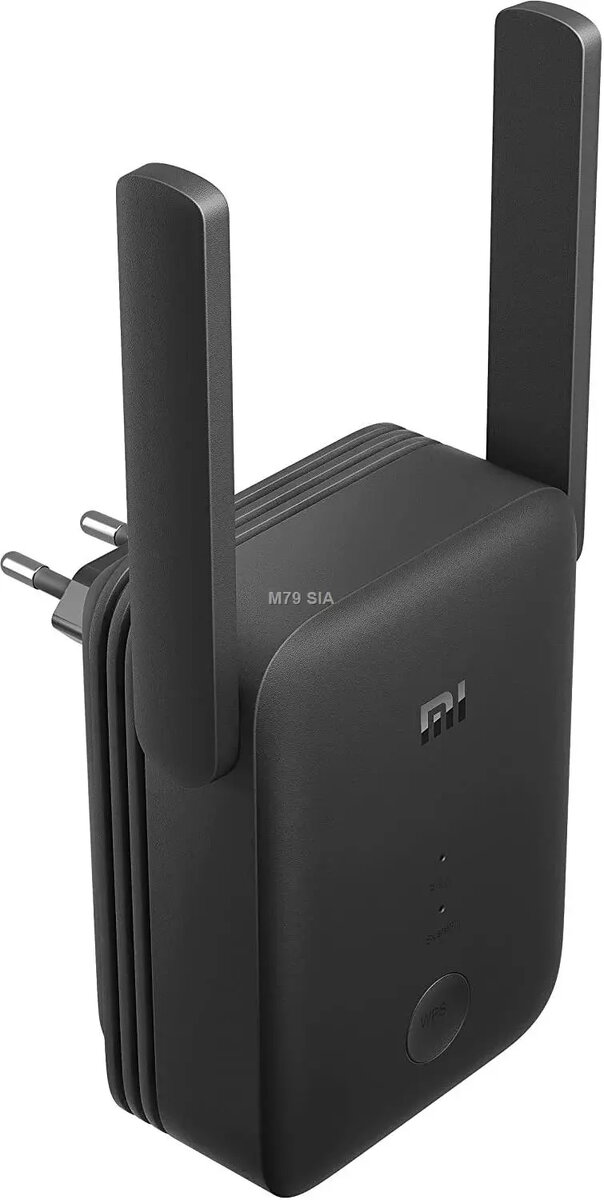
Xiaomi Mi DVB4348GL BOX 300 Mbps dual-band repeater is a compact WiFi range extender designed to increase wireless coverage in homes and small offices. The device accepts an existing WiFi network, amplifies its signal and redistributes connectivity to reach areas with weak reception. With support for dual-band operation and up to 300 Mbps wireless throughput, the extender fits into a wall outlet to provide continuous extended coverage without a separate power cable.
The extender delivers improved signal strength in hard-to-reach places and reduces dead zones by rebroadcasting the existing network on both frequency bands. Its compact plug-in design preserves floor space and keeps the installation unobtrusive. Setup is straightforward and can be completed with minimal user interaction, allowing quick integration with most consumer routers. Dual-band support helps maintain performance for mixed uses such as video streaming and web browsing while connecting multiple smart devices.
Plug the Xiaomi Mi DVB4348GL BOX into a convenient mains outlet located between your router and the area with weak signal. Use the device’s setup procedure—via the recommended mobile app or on-device WPS button—to connect it to your existing WiFi network. After successful pairing, verify coverage in previously weak areas and reposition the extender if necessary to balance signal strength from the router and the extended network. No additional cables are required for basic operation.
Place the extender roughly halfway between the router and the dead zone, avoiding locations with strong sources of interference such as microwave ovens or thick concrete walls. For best results, use the 5 GHz band where supported for higher-throughput tasks and switch to 2.4 GHz for better range with legacy devices. Regularly check firmware updates via the official Xiaomi app to maintain security and performance.
{{highlightedFeature.featureTitle}}:
{{getProductFeatureValueById(product, highlightedFeature.featureId)}}