Powerful EcoFlow stations for energy anywhere!
In cart {{totalProductsCount}} item(s)
Your cart is empty
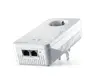
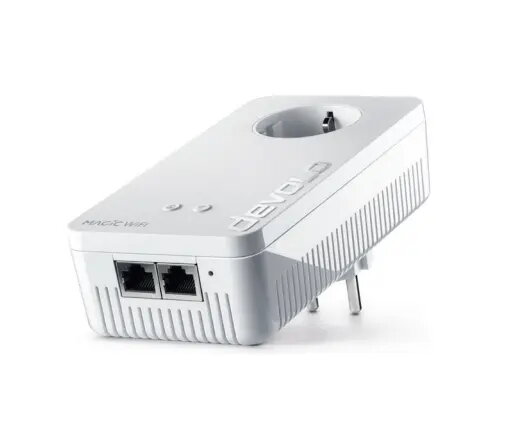
Powerline Wi‑Fi Adapter Kit Zebra Devolo Magic 2 2400 Mbit/s, 2 pcs, Type F plug, internal antenna
Zebra Devolo Magic 2 is a powerline Wi‑Fi adapter kit designed to extend wired and wireless network connectivity through existing electrical wiring. The two‑piece set supports combined data rates up to 2400 Mbit/s over powerline links and includes internal antennas and Type F power plugs. It provides Ethernet connectivity compatible with IEEE 802.3 variants and is intended for home or small office environments where compact adapters and simple installation are required. Typical power consumption is 8.2 W during operation and 2.5 W in standby.
The kit uses powerline transmission to deliver network access without additional cabling, enabling both Wi‑Fi and Ethernet connections from the existing mains wiring. Integrated internal antennas and Wi‑Fi 5 (802.11ac) support provide wireless coverage while the adapters remain compact and unobtrusive. Type F plugs ensure compatibility with common European wall outlets, and the documented power consumption values make it suitable for continuous use with predictable energy requirements.
Plug one adapter into a Type F wall socket near your router and connect it to the router with an Ethernet cable. Plug the second adapter into a wall socket in the area where you need network access; it will create a network link over the electrical wiring and provide Wi‑Fi coverage via its internal antennas and an Ethernet port for wired devices. Follow the manufacturer's pairing procedure to secure the connection between adapters and configure Wi‑Fi settings using the provided interface or app. Ensure both adapters are connected to the same electrical installation for optimal performance.
For best results, plug adapters directly into wall sockets rather than into multi‑way extension strips or surge protectors, and avoid placing them behind large appliances that could obstruct signal transmission. Use the Ethernet port for devices requiring stable wired connections and position the second adapter in a central location within the target area to balance wireless coverage.
{{highlightedFeature.featureTitle}}:
{{getProductFeatureValueById(product, highlightedFeature.featureId)}}
{{ productComparisonGenerationError }}