Save time and money with our discounts!

{{ totalProductsCount }}
In cart {{totalProductsCount}} item(s)
In cart {{totalProductsCount}} item(s)
Total:
{{sum | formatAmount}}
Your cart is empty
Workstation PC | Desktop PCs & Workstations

Captiva
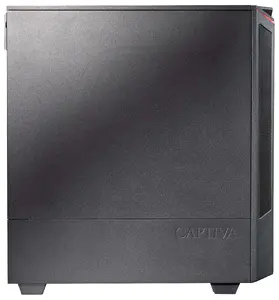
Computer Captiva PC Workstation I86-773 Ultra 7 32GB 1TB 265K w/o OS
Delivery: 19.11.2026
1,671.49 €
Captiva
Computer Captiva PC Workstation I86-784 Ultra 7 64GB 2TB 265K w/o OS
Delivery: 19.11.2026
2,340.99 €

Captiva
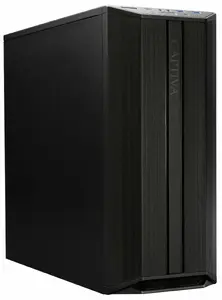
Computer Captiva PC Workstation I86-782 Ultra 7 64GB 1TB SSD NVIDIA Windows 11
Delivery: 19.11.2026
2,245.99 €
Captiva
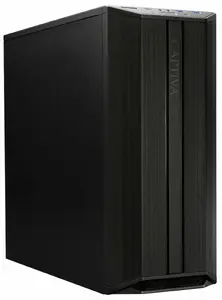
Computer Captiva PC Workstation R89-643 Ryzen 9 9900X 64GB 1TB WLAN w/o OS
Delivery: 19.11.2026
2,021.99 €
Captiva
Computer Captiva PC Workstation R89-641 Ryzen 7 9700X 32GB 1TB WLAN w/o OS
Delivery: 19.11.2026
1,380.49 €
Get it Today
Dell
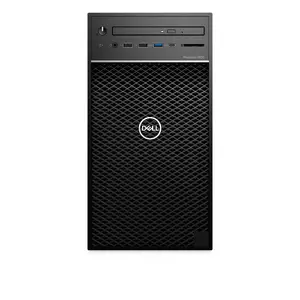
Tower workstation PC Dell Precision 3630 — Intel Xeon E-2246G 3.6/4.8 GHz, 16 GB DDR4-2666, 512 GB SSD, NVIDIA Quadro P400 2 GB, Windows 11 Pro
Delivery: Today
Markdown: Used, Grade A
519.00 €
Captiva
Computer Captiva PC Workstation I86-786 Ultra 7 64GB 2TB SSD NVIDIA Windows 11 Pro
Delivery: 19.11.2026
2,509.99 €
Captiva
Computer Captiva PC Workstation I86-783 Ultra 7 64GB 1TB SSD NVIDIA Windows 11 Pro
Delivery: 19.11.2026
2,365.99 €
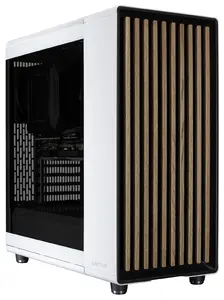
Captiva
CAPTIVA Workstation I79-930 Intel Core i9-14900K 64 GB DDR4-SDRAM 1 TB SSD PC White
Delivery: 19.11.2026
2,098.99 €
Captiva
Computer Captiva PC Workstation I86-772 Ultra 7 32GB 1TB SSD NVIDIA Windows 11 Home
Delivery: 19.11.2026
1,718.49 €
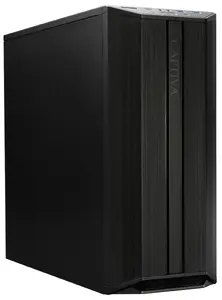
Captiva
Computer Captiva CAPTIVA PC Workstation I91-589 i9-14900K 64GB SSD 2TB WLAN Windows 11 Pro
Delivery: 19.11.2026
2,563.49 €
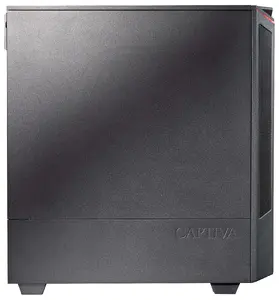
Captiva
Computer Captiva PC Workstation I86-785 Ultra 7 64GB 2TB 265K Windows 11 Home 64-bit
Delivery: 19.11.2026
2,389.99 €
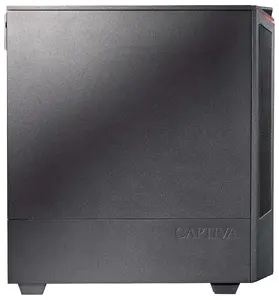
Captiva
Computer Captiva PC Workstation I86-775 Intel Core i7 32GB 2TB SSD Ultra 7 265K w/o OS
Delivery: 19.11.2026
1,814.99 €
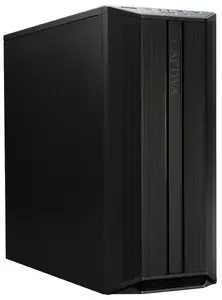
Captiva
Desktop workstation Captiva PC Workstation R99-892 — Ryzen 7 9800X3D, 2 TB SSD, 64 GB RAM, WLAN, without OS
Delivery: 19.11.2026
2,295.49 €
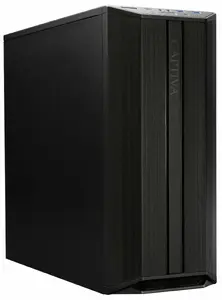
Captiva
Computer Captiva PC Workstation R89-642 Ryzen 9 9900X 64GB 1TB WLAN Windows 11 Pro 64-bit
Delivery: 19.11.2026
2,261.99 €
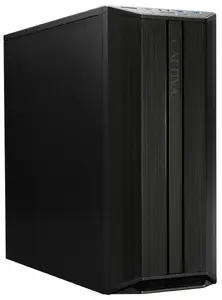
Captiva
Desktop workstation Captiva PC Workstation I99-870 — Intel i7-14700, 2 TB SSD, 64 GB RAM, WLAN, without OS
Delivery: 19.11.2026
1,827.99 €
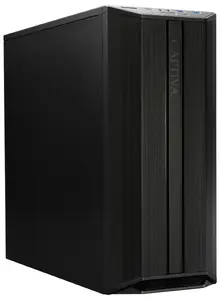
Captiva
Computer Captiva CAPTIVA PC Workstation I94-176 Ultra 9 285K 64GB 2TB SSD Windows 11 Pro 64-bit
Delivery: 19.11.2026
2,492.49 €
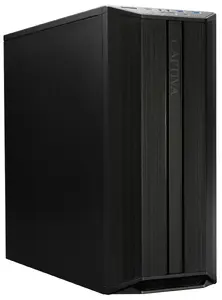
Captiva
Desktop workstation Captiva PC Workstation I99-867 with Intel Core i7-14700, 1TB SSD, 64GB RAM, WLAN, Windows 11 Pro
Delivery: 19.11.2026
1,773.99 €
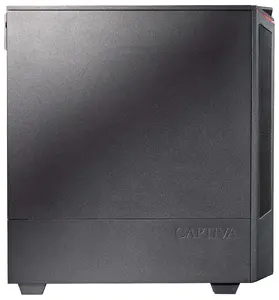
Captiva
Desktop workstation Captiva PC Workstation I99-726 i7-14700 SSD 1TB 32GB WLAN Windows 11 Home 64-bit
Delivery: 19.11.2026
1,603.99 €
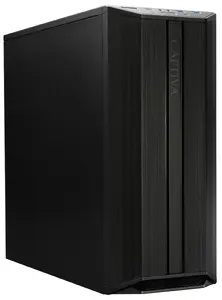
Captiva
Desktop workstation Captiva PC Workstation R99-877 — Ryzen 7 7800X3D, 1 TB SSD, 64 GB RAM, WLAN, Windows 11 Pro
Delivery: 19.11.2026
2,213.49 €
Desktops PCs & Workstations include stationary personal computers and professional workstations designed for a range of everyday, creative and computational tasks. These systems combine a tower or compact chassis with desktop-class processors, memory, storage and expansion options to support office productivity, multimedia, software development, CAD, 3D rendering and data analysis. Buyers choose desktops and workstations when they need performance, upgradeability, larger storage, or multiple discrete graphics and I/O ports compared with portable devices. Models vary by form factor, internal components and intended workload, allowing selection for home use, small business, or specialized technical applications.
Types of Desktops PCs & Workstations
Common types include a range of form factors and purpose-built systems. Typical examples are:
- Mini and Small Form Factor (SFF) desktops — compact units for space-saving and basic office use.
- Tower desktops — standard full-size cases with greater expansion and cooling for higher-performance components.
- All-in-One (AIO) PCs — integrated monitor and computer in one housing for simplified setup and a smaller footprint.
- Entry-level workstations — optimized for reliable multitasking and light professional applications.
- Professional workstations — engineered for demanding tasks like 3D modeling, CAD, scientific computing and heavy datasets, often with ECC memory and certified drivers.
- Gaming desktops — desktop systems configured with higher-performance CPUs and discrete GPUs for real-time graphics and low-latency input.
What are Desktops PCs & Workstations used for?
Desktops and workstations are used across a spectrum of activities that require sustained computing power, connectivity and expandability.
- Office productivity — word processing, spreadsheets, email, and web applications that benefit from stable performance and multiple displays.
- Content creation — photo editing, video production and graphic design that require fast CPUs, high-memory capacity and dedicated storage.
- Software development and virtualization — compiling code, running multiple virtual machines and testing environments.
- Engineering and scientific computing — CAD, simulations and data analysis that may use specialized processors, GPUs and certified software stacks.
- Gaming and simulation — real-time rendering and input responsiveness with discrete graphics cards and higher refresh-rate displays.
- Server-like tasks and local data storage — file sharing, backups and local databases in small-office setups.
Key Differences between Desktops PCs & Workstations
Desktops and workstations differ in design priorities, component choices and validation for professional software.
- Hardware validation — workstations often include certified components and drivers for professional applications; desktops focus on general-purpose compatibility.
- Error-correcting memory — many workstations use ECC RAM to reduce memory errors in critical workloads; standard desktops typically use non-ECC memory.
- Graphics and compute — workstations may use professional GPUs optimized for compute and precision, while desktops and gaming PCs favor consumer GPUs tuned for rasterized graphics performance.
- Expandability and cooling — tower and workstation designs prioritize slots, bays and cooling to support multiple drives, add-in cards and sustained performance.
- Price-to-performance balance — desktops are often optimized for cost-effective general use; workstations balance performance, reliability and vendor support for specialized tasks.
How to Choose Desktops PCs & Workstations?
Selecting the right desktop or workstation requires matching hardware and features to intended tasks, budget and space constraints.
- Define primary use — identify whether the system is for office work, content creation, engineering, gaming or mixed use to prioritize CPU, GPU and storage type.
- Processor and cores — choose a CPU with sufficient cores and clock speed for multitasking and the specific software workload.
- Memory and storage — allocate enough RAM for applications and consider SSDs for operating system and active projects plus HDDs or NAS for archival storage.
- Graphics needs — pick a discrete GPU for rendering, simulation or gaming; consider professional GPUs for certified applications if required.
- Expandability and ports — check for PCIe slots, drive bays, USB/Thunderbolt ports and network options to support future upgrades and peripherals.
- Reliability and support — for critical or professional use, consider systems with ECC memory, tested configurations and available vendor or warranty support.
- Form factor and noise — factor in available workspace, cooling performance and acceptable noise levels when choosing SFF, tower or AIO designs.
Which desktop pcs & workstations are the most popular and affordable in 2026?
The full list of popular models at affordable prices is available on this page. In 2026, the following models show high demand and an excellent price-to-quality ratio:
- Mini PC GMKtec G3S Intel N95 8GB RAM 128GB SSD Wi-Fi 5 Bluetooth 5.0 HDMI for 273.49€
- T1A Mini PC EliteDesk 800 G5 Refurbished Intel Core i5-9500 3 GHz 8 GB DDR4-SDRAM 256 GB SSD Windows 11 Pro Black, Silver for 273.99€
- Dell OptiPlex 3070 SFF Desktop PC, Intel Core i3-9100, 8GB DDR4 RAM, 256GB SSD, Windows 11 Pro for 279€
- Lenovo ThinkCentre M70q Mini PC Intel Core i3-10100T 16 GB DDR4-SDRAM 256 GB SSD Windows 11 Pro Black for 329€
- Mini-PC Minis Forum NAB6 Lite barebone with Intel Core i5-12600H processor for 339€
Why is it worth buying desktop pcs & workstations at AiO.lv?
At the AiO.lv online store, you can place an order at a great price with delivery across Latvia — to Riga, Daugavpils, Liepaja, Jurmala, Ventspils, and other cities, as well as throughout Europe. We offer products from leading manufacturers: Acer, Apple, ARMOR, ASROCK, Dell, HP, IBM, INTEL, Lenovo, NEC, NVIDIA, PALIT, PNY, SHUTTLE, Samsung, VIEWSONIC, ActiveJet, Asus, ELITEGROUP, GIGABYTE. When you shop with us, you get:
- official warranty and guaranteed quality;
- convenient payment options (including installment and credit);
- fast and reliable delivery across Latvia and to any EU country.
FAQ
Where can you find a desktop pcs & workstations with cheap prices?
You can buy cheaper at the AiO.lv online store. We offer competitive prices and regular discounts, so you always have the chance to find a great deal.
What is the delivery time for desktop pcs & workstations?
If you place your order today, delivery will take between 1 and 5 business days depending on the chosen method.
How long is the warranty period for desktop pcs & workstations?
Our store provides an official manufacturer’s warranty ranging from 12 to 36 months, depending on the model and brand. If needed, you can always contact our customer service department or the manufacturer’s authorized service center for support.
Are desktop pcs & workstations purchasable with leasing?
Yes, if the selected product costs more than €50. You can learn more about installment purchase options and the terms of application on the Payment page.
Can desktop pcs & workstations be purchased for a company (with VAT)?
Yes. AiO.lv works with legal entities in Latvia and throughout Europe. All product prices are shown with VAT included. In certain cases, a 0% VAT rate may apply — for example, when purchasing from other EU countries with a valid VAT number. We issue an invoice immediately after the order is placed, support BIS electronic invoices, and automatically generate all required accounting documents. To complete a purchase for a company, simply select the company profile during checkout.


