Save time and money with our discounts!

{{ totalProductsCount }}
In cart {{totalProductsCount}} item(s)
In cart {{totalProductsCount}} item(s)
Total:
{{sum | formatAmount}}
Your cart is empty
Markdown Docking Stations
Get it Monday
Get it Monday
Excellent choice
HP
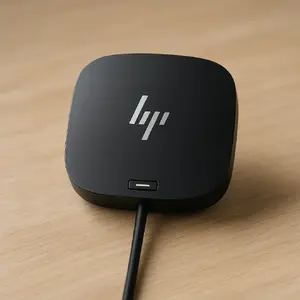
Docking station HP USB-C Dock G5 — USB 3.2 Gen 1 Type-C host, 130W PD, 2xDP, 1×HDMI, 1×RJ45, 4×USB-A, wired, black
Delivery: Monday
Markdown: Used, Grade A
109.00 €
Open box
Open box

ICY BOX
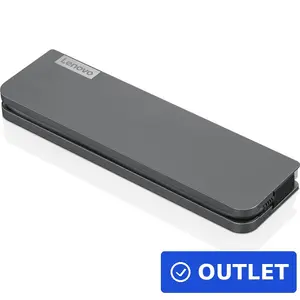
ICY BOX IB-DK4071M-CU31 7-in-1 Docking Station with M.2 NVMe and SATA SSD Slot, USB 3.2 Gen 2 Type-C
Delivery: 24.11.2026
38.49 €


Fast delivery available
Demo
ALOGIC
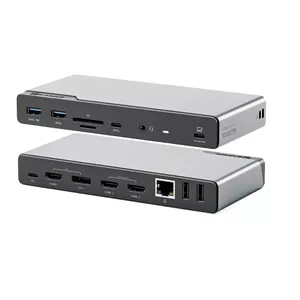
Docking Station ALOGIC DV4 Universal Quad Display USB 3.2 Gen 1 4K
Delivery: 24.11.2026
74.99 €
Fast shipping
Open box
DIGITUS
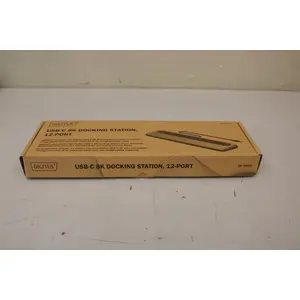
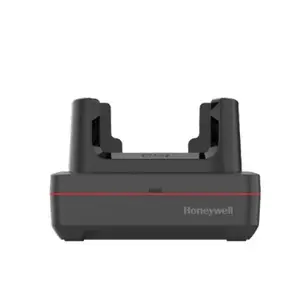
Docking station DIGITUS DA-70919 USB-C 8K 12-port with Ethernet LAN and HDMI
Delivery: Wednesday
80.49 €
Open box

Open box

Open box

Lenovo
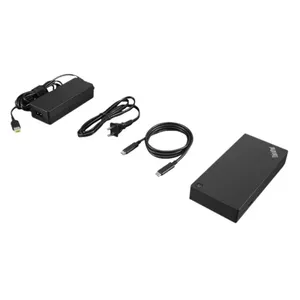
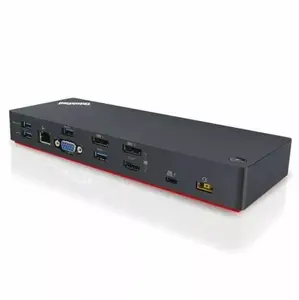
Docking station Lenovo ThinkPad Thunderbolt 3 40AV0135SA — Thunderbolt 3 connectivity for compatible laptops
Delivery: 24.11.2026
96.49 €
Docking stations are peripheral devices that expand the connectivity and functionality of laptops, tablets, and some smartphones by providing additional ports, power delivery, and sometimes video output. They are commonly used to connect a mobile computer to multiple external monitors, wired networks, keyboards, mice, and other USB accessories through a single interface. Customers select docking stations to simplify workspace setup, reduce cable clutter, and enable fast transitions between mobile and desktop workflows in home offices, corporate environments, and shared workspaces. Docking stations vary by interface type (for example USB-C, Thunderbolt, or proprietary connectors), supported video standards, and power delivery capabilities, making compatibility with the host device an important consideration. Many models include features such as Ethernet, SD card readers, audio jacks, and multiple USB ports, while some focus on compactness or high-performance video and data throughput. Understanding port layout, power needs, and display support helps match a docking station to the intended use and equipment.
Types of Docking stations
Common types of docking stations are distinguished by connection interface, design, and intended use.
- USB-C docks — use the USB-C port for power delivery, data, and video, often offering a balance of size and capability.
- Thunderbolt docks — provide higher bandwidth for multiple high-resolution displays and fast data transfer, suitable for demanding applications.
- Universal multiport hubs — compact adapters that add several ports such as HDMI, Ethernet, and USB-A; designed for portability.
- Proprietary manufacturer docks — designed for specific laptop models with unique connectors or extended features.
- Vertical or pedestal docks — desktop-style units that keep a laptop closed or upright and provide full desktop connectivity.
What are Docking stations used for?
Docking stations are used to connect a portable device to a full desktop setup and to extend device capabilities.
- Connecting multiple external monitors for increased screen area and improved productivity.
- Providing wired network access via Gigabit Ethernet for stable, high-speed connections.
- Charging laptops and delivering power to connected devices via power delivery (PD).
- Adding legacy and modern ports such as USB-A, HDMI, DisplayPort, SD card readers, and audio jacks.
- Centralizing peripherals like printers, external drives, and input devices for easy docking and undocking.
Key Differences between Docking stations
Docking stations differ in connection standard, bandwidth, power delivery, display support, and port variety.
- Interface bandwidth — Thunderbolt offers higher throughput than standard USB-C, affecting the number of supported displays and transfer speeds.
- Power delivery capacity — docks vary in wattage; higher-watt models can charge larger laptops while lower-watt models suit smaller notebooks.
- Display support — differences include maximum resolution, refresh rate, and number of concurrent external monitors supported.
- Port selection — the quantity and type of USB ports, Ethernet, card readers, and audio connectors differ by model.
- Form factor and portability — compact adapters trade port count for size, while desktop docks offer more connectivity but are less portable.
How to Choose Docking stations?
Selecting a docking station requires matching technical specifications to your device and workflow needs.
- Check compatibility — verify the host device supports the dock's interface (USB-C, Thunderbolt, or proprietary) and required protocols such as DisplayPort Alt Mode.
- Assess power needs — choose a dock with sufficient power delivery (PD) wattage to charge your laptop while running peripherals.
- Determine display requirements — confirm the dock supports the number of monitors and resolutions you need (for example 4K at 60 Hz).
- Evaluate port layout — ensure the dock provides the necessary ports (Ethernet, USB-A, USB-C, HDMI, DisplayPort, card reader, audio) for your peripherals.
- Consider bandwidth and performance — for video editing or data-heavy tasks prefer Thunderbolt or high-bandwidth USB-C docks.
- Think about size and placement — choose a compact hub for travel or a full-size desktop dock for a permanent workstation.
Which markdown docking stations are the most popular and affordable in 2026?
The full list of popular models at affordable prices is available on this page. In 2026, the following models show high demand and an excellent price-to-quality ratio:
- USB hub Anker Ultra Slim A8309G11 — USB Type-C host, 3× USB 3.2 Gen 1 Type-A, compact 103×30×10 mm, black for 11.99€
- Vention THZH0 laptop dock/port replicator Docking USB 3.2 Gen 1 (3.1 Gen 1) Type-C Grey for 24.49€
- RAIDSONIC Spade Dock 4081 USB 3.2 Gen 1 Type-C Docking Station with Wired Connectivity, 5 Gbit/s Data Transfer Rate, 85 W Power Delivery, and 3840 x 2160 Pixels Maximum Digital Resolution for 25.49€
- Docking station ICY BOX IB-DK4040a-CPD — 10-in-1 USB-C, HDMI 4K60Hz, VGA, 3×USB-A, Gigabit LAN, PD 100W, SD/MicroSD, Aluminium for 27.99€
- Baseus Ultra Joy 5in1 Docking Station USB-C PD 3xUSB 3.0 HDMI Gray for 29.49€
Why is it worth buying markdown docking stations at AiO.lv?
At the AiO.lv online store, you can place an order at a great price with delivery across Latvia — to Riga, Daugavpils, Liepaja, Jurmala, Ventspils, and other cities, as well as throughout Europe. We offer products from leading manufacturers: Acer, Belkin, CHIEFTEC, Club 3D, CORSAIR, D-Link, Dell, FUJITSU, HAMA, HP, Lenovo, Microsoft, Panasonic, RAIDSONIC, SANDBERG, TARGUS, Toshiba, TRUST, VERBATIM, Asus. When you shop with us, you get:
- official warranty and guaranteed quality;
- convenient payment options (including installment and credit);
- fast and reliable delivery across Latvia and to any EU country.
FAQ
Where can you find a markdown docking stations with cheap prices?
You can buy cheaper at the AiO.lv online store. We offer competitive prices and regular discounts, so you always have the chance to find a great deal.
What is the delivery time for markdown docking stations?
If you place your order today, delivery will take between 1 and 5 business days depending on the chosen method.
How long is the warranty period for markdown docking stations?
Our store provides an official manufacturer’s warranty ranging from 12 to 36 months, depending on the model and brand. If needed, you can always contact our customer service department or the manufacturer’s authorized service center for support.
Are markdown docking stations purchasable with leasing?
Yes, if the selected product costs more than €50. You can learn more about installment purchase options and the terms of application on the Payment page.
Can markdown docking stations be purchased for a company (with VAT)?
Yes. AiO.lv works with legal entities in Latvia and throughout Europe. All product prices are shown with VAT included. In certain cases, a 0% VAT rate may apply — for example, when purchasing from other EU countries with a valid VAT number. We issue an invoice immediately after the order is placed, support BIS electronic invoices, and automatically generate all required accounting documents. To complete a purchase for a company, simply select the company profile during checkout.


