A curated selection of maximum value offers!

{{ totalProductsCount }}
In cart {{totalProductsCount}} item(s)
In cart {{totalProductsCount}} item(s)
Total:
{{sum | formatAmount}}
Your cart is empty
Markdown USB Hubs
Open box
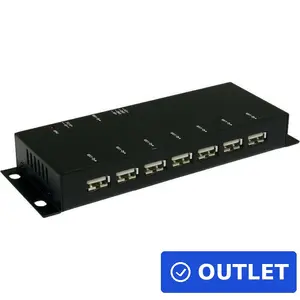
Open box
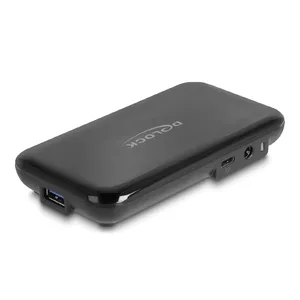
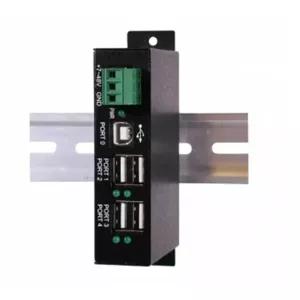
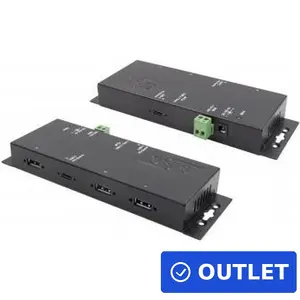

Demo
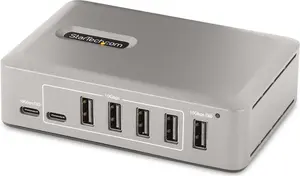
StarTech
USB-C Hub StarTech.com 10-Port S55174042 — 8× USB-A + 2× USB-C, USB 3.2 Gen 2 10Gbps, 65W self-powered
Delivery: 24.11.2026
143.49 €
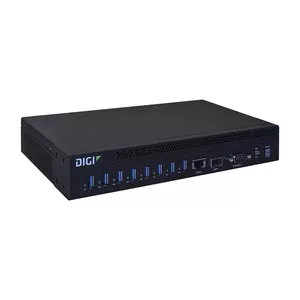
USB hubs are compact devices that expand a single USB port into multiple ports, allowing connection of additional peripherals such as keyboards, mice, external drives, printers, and USB-powered accessories. They are used with computers, laptops, tablets, and some smart devices when the built-in USB ports are insufficient or hard to reach. USB hubs come in bus-powered and externally powered designs to match power needs of connected devices, and they support various USB standards that affect data transfer speeds and compatibility. Typical users select USB hubs for desktop organization, mobile productivity, data transfer, charging, or to connect multiple USB devices to a single host port. Choices are guided by the number and type of ports, power delivery capability, supported USB version, and intended usage scenarios like office work, media transfer, or travel.
Types of USB Hubs
The main types of USB hubs differ by power source, form factor, and supported USB standard.
- Bus-powered hubs — draw power from the host device and are suitable for low-power peripherals.
- Self-powered (externally powered) hubs — include an external power adapter to support high-power devices and multiple simultaneous connections.
- USB 2.0 hubs — provide basic data transfer suitable for keyboards, mice, and some storage devices.
- USB 3.x hubs — offer higher data transfer rates for external SSDs, large file transfers, and high-bandwidth peripherals.
- USB-C and Thunderbolt-compatible hubs — offer modern connectors, higher power delivery, and may include video, Ethernet, or multiple protocol support.
- Portable and compact hubs — small form factors designed for travel and mobile devices.
What are USB Hubs used for?
USB hubs serve to increase the number of available USB connections and to manage device connectivity in various setups.
- Connecting multiple input devices (keyboard, mouse, gamepad) to a single host port.
- Attaching external storage devices for file transfer and backups.
- Charging smartphones, tablets, and accessories, when hubs support power delivery or dedicated charging ports.
- Adding network, audio, or video adapters via hubs that integrate additional interfaces.
- Organizing cable layout and making hard-to-reach ports accessible on laptops or compact systems.
Key Differences between USB Hubs
Key differences determine performance, compatibility, and suitability for specific tasks.
- Power delivery — whether the hub is bus-powered or has an external power supply affects how many and what kind of devices it can run.
- USB standard — USB 2.0, 3.0/3.1/3.2, and USB4/Thunderbolt compatibility define maximum data throughput and supported features.
- Port types and count — number of USB-A, USB-C, and specialized charging ports determines device compatibility.
- Physical design and build — compact travel hubs differ from full-size desktop hubs in durability and port spacing.
- Additional features — integrated card readers, Ethernet, HDMI, or dedicated charging ports add functionality beyond basic expansion.
How to Choose USB Hubs?
Selecting a USB hub requires matching technical specifications and practical needs.
- Identify required ports and connector types (USB-A, USB-C, or a mix) based on your devices.
- Choose the appropriate USB standard for desired data speeds (USB 3.x or higher for large transfers).
- Decide on power needs — pick an externally powered hub for high-draw devices or multiple simultaneous chargers.
- Consider additional features such as Ethernet, HDMI, or card readers if you need integrated adapters.
- Check physical size and cable length for desk layout or travel convenience.
- Verify compatibility with your host device’s OS and any specific power-delivery profiles if charging laptops or tablets.
Which markdown usb hubs are the most popular and affordable in 2026?
The full list of popular models at affordable prices is available on this page. In 2026, the following models show high demand and an excellent price-to-quality ratio:
- USB hub SBOX H-204BL for 5.99€
- USB hub Riff HUB307 — 7 USB 3.0 ports, DC 5V external power for 7.99€
- iBOX IUHCHDVGA USB-C 4-in-1 Hub with USB 3.0, 100W Power Delivery, 4K HDMI, and Full HD VGA for 8.49€
- USB Hub SBOX H-207 for 10.49€
- Vention TGKBB USB Hub 3.2 Gen 1 Type-C 5000 Mbit/s Black for 11.99€
Why is it worth buying markdown usb hubs at AiO.lv?
At the AiO.lv online store, you can place an order at a great price with delivery across Latvia — to Riga, Daugavpils, Liepaja, Jurmala, Ventspils, and other cities, as well as throughout Europe. We offer products from leading manufacturers: Apple, Belkin, Club 3D, D-Link, Dell, HAMA, HP, Lenovo, Microsoft, RAIDSONIC, SANDBERG, TARGUS, TRENDNET, TRUST, VERBATIM, WENTRONIC, DIGITUS, LOGILINK, OEM, GEMBIRD. When you shop with us, you get:
- official warranty and guaranteed quality;
- convenient payment options (including installment and credit);
- fast and reliable delivery across Latvia and to any EU country.
FAQ
Where can you find a markdown usb hubs with cheap prices?
You can buy cheaper at the AiO.lv online store. We offer competitive prices and regular discounts, so you always have the chance to find a great deal.
What is the delivery time for markdown usb hubs?
If you place your order today, delivery will take between 1 and 5 business days depending on the chosen method.
How long is the warranty period for markdown usb hubs?
Our store provides an official manufacturer’s warranty ranging from 12 to 36 months, depending on the model and brand. If needed, you can always contact our customer service department or the manufacturer’s authorized service center for support.
Are markdown usb hubs purchasable with leasing?
Yes, if the selected product costs more than €50. You can learn more about installment purchase options and the terms of application on the Payment page.
Can markdown usb hubs be purchased for a company (with VAT)?
Yes. AiO.lv works with legal entities in Latvia and throughout Europe. All product prices are shown with VAT included. In certain cases, a 0% VAT rate may apply — for example, when purchasing from other EU countries with a valid VAT number. We issue an invoice immediately after the order is placed, support BIS electronic invoices, and automatically generate all required accounting documents. To complete a purchase for a company, simply select the company profile during checkout.


