Filters you can trust. Pure water every day.
In cart {{totalProductsCount}} item(s)
Your cart is empty
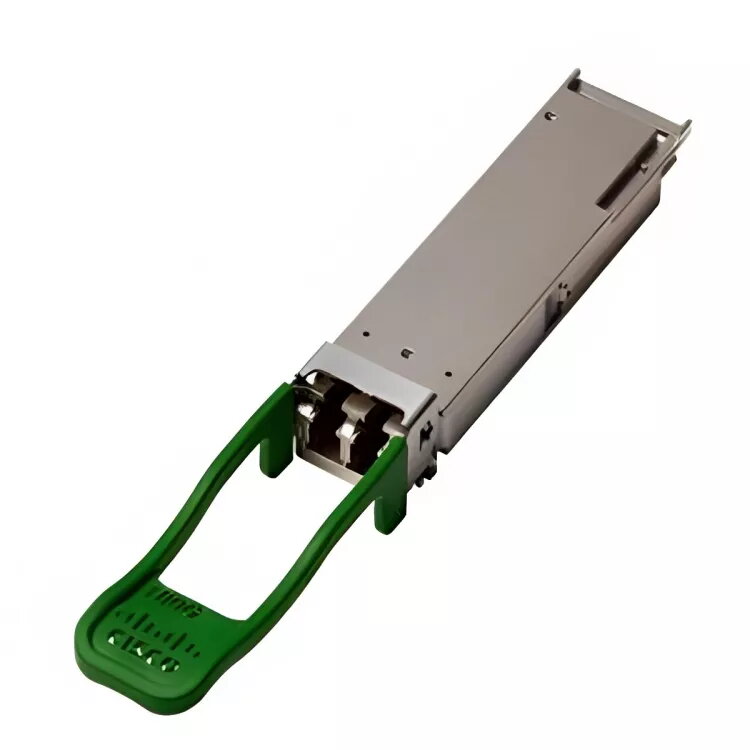
Network Transceiver Module Cisco QSFP-100G-SM-SR=
The Cisco QSFP-100G-SM-SR is a 100 Gigabit Ethernet QSFP transceiver module designed for high-density, low-power connectivity in data centers, high-performance computing environments, enterprise core and distribution layers, and service provider networks. It supports link lengths up to 2 kilometers over standard G.652 single-mode fiber using duplex LC connectors and carries the 100G signal over four wavelengths with internal multiplexing and demultiplexing. The module operates typically at 1331 nm, consumes about 3.5 W, meets RoHS and WEEE environmental standards and is covered by a 5-year warranty.
The QSFP-100G-SM-SR provides a compact QSFP form factor that combines high port density with relatively low power consumption. With an optical link budget of 4.2 dB, the module can accommodate typical patch-panel and connector losses in data center links while supporting up to 2 km reach on G.652 single-mode fiber. Built to industry standards, it ensures interoperability with compatible 100G QSFP solutions and is compliant with environmental regulations.
Install the QSFP-100G-SM-SR into a compatible QSFP port on a switch, router or optical transponder following the host equipment vendor’s hot‑swap and handling instructions. Connect duplex LC single-mode fiber cables to the module, observing proper polarity and connector cleanliness. Verify link status and negotiated speed in the host device management interface. For best results, ensure transceiver firmware and host platform are compatible and follow any interoperability notes provided by the equipment vendor.
Use certified G.652 single-mode duplex LC cabling and maintain clean connectors and patch-panel management to preserve the 4.2 dB link budget. Allow margin for connector and splice loss when planning links approaching the 2 km maximum reach. Confirm interoperability with the specific QSFP-based line cards or transponders in your environment.
{{highlightedFeature.featureTitle}}:
{{getProductFeatureValueById(product, highlightedFeature.featureId)}}
{{ productComparisonGenerationError }}